
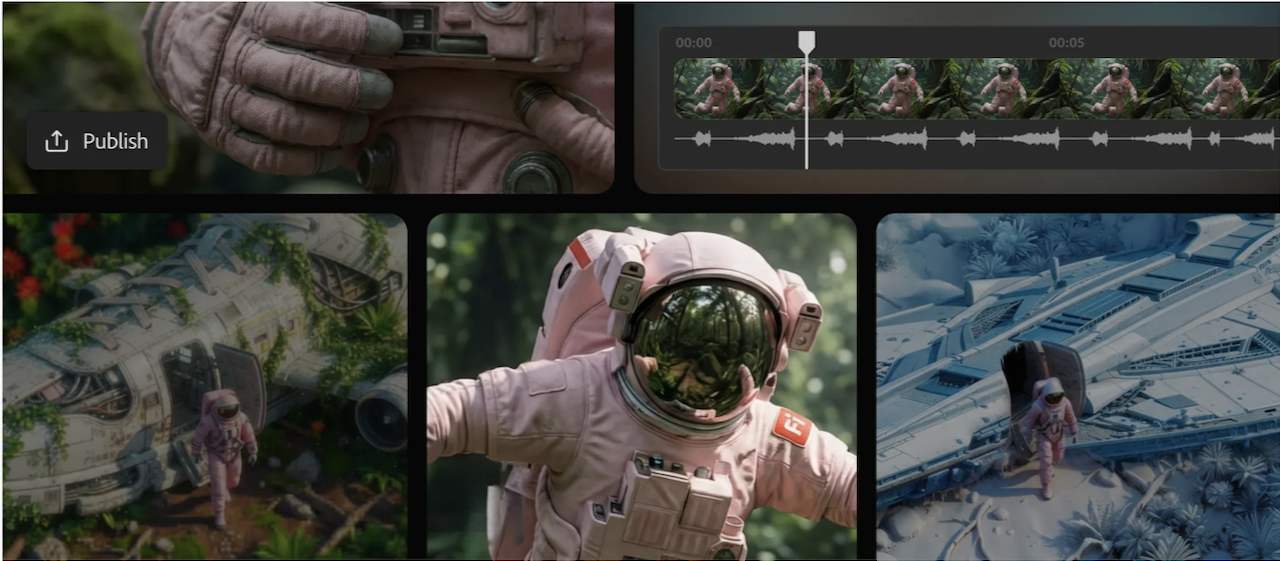
Adobe continues to perform its AI magic, offering new video tools that make creating videos faster and easier. This week, its browser-based Firefly video editor became available in full beta, enabling users to use natural language prompts to edit videos, generate and edit clips, add audio accompaniments, and more. There are also new tools for precision editing and camera motion control. Adobe additionally expanded its partnerships with upscaling capabilities and more image models.
(Source: Adobe)
Like an experienced magician, or more accurately, a company with a relentless pursuit of improving its applications and tools to benefit content creators, Adobe has waved its wand and, Poof!, produced new tools, models, and capabilities for improved AI video creation.
This week, Adobe pulled this particular rabbit from its large tool-filled hat: the browser-based Firefly video editor (now in full beta), its new creative assembly workspace that simplifies editing and speeds up workflows when building complete videos. Firefly AI video editor enables users to use natural language text-based editing to make edits to a video; upload clips, trim them, and generate new ones, and rearrange them in a timeline to fit existing footage. Titles, voice-overs, music tracks, and audio can be added as well. Users can then export the finished video in a variety of formats such as vertical social media posts and widescreen edits.
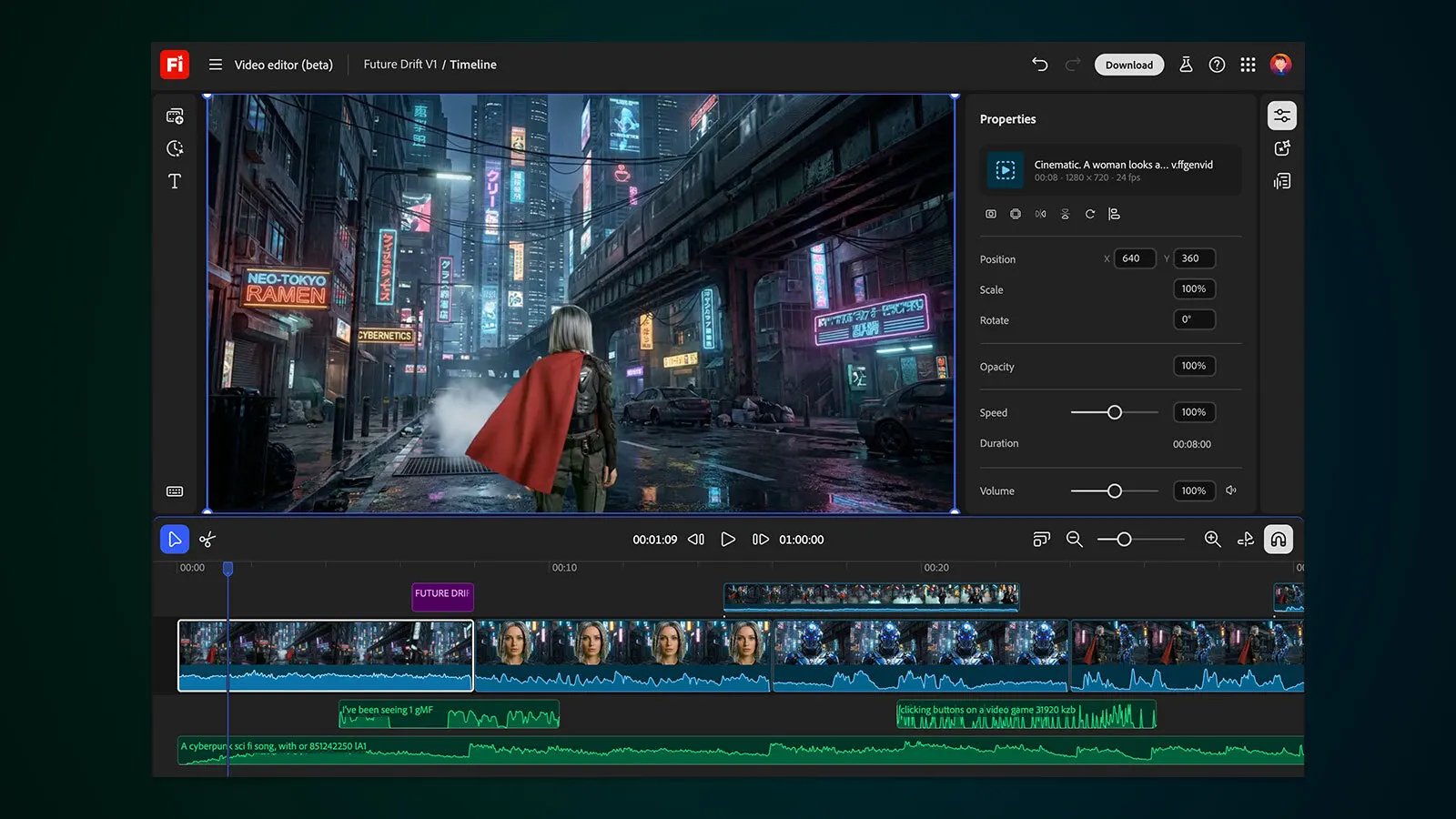
Firefly video editor offers a unified workspace for combining AI generations, live action, and audio into a video. (Source: Adobe)
The company also introduced new video tools that make it easier for users to perform precise edits and control camera motion with the new Prompt to Edit controls for video, as well as camera motion reference tools. Users can generate a video in Firefly, and then make precise refinements using text editing with Runway’s Aleph model. Firefly makes the changes directly in the existing clip. And, using Firefly Video Model, users can now upload their start frame image, along with a reference video showing the camera motion they want to re-create, giving them more control over how the camera moves through the scene.
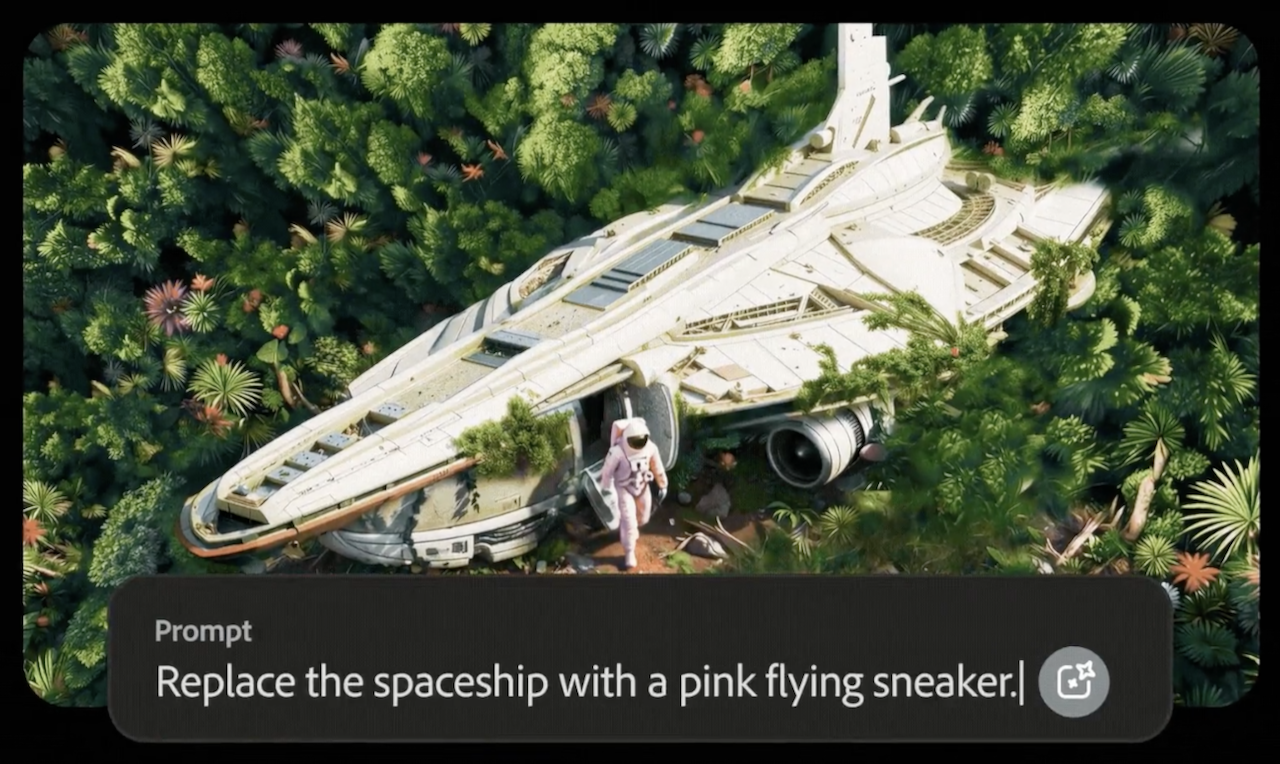
New Prompt to Edit controls for video lets users keep what they like and precisely remove what they don’t, with Runway’s Aleph model. (Source: Adobe)
New video upscaling capabilities have been added, too, through an agreement that integrates Topaz Astra into Adobe’s Firefly Boards, providing the ability to increase low-res footage to 1080p or 4K.
The ink was barely dry on the Aleph agreement when Adobe today announced a multi-year deal with the company that unites Runway’s generative video technology and Adobe’s creative tools. As a result, Adobe will be Runway’s preferred API creativity partners, enabling Adobe to give its customers early access to Runway’s latest models, including the new Gen-4.5. According to Adobe, the two companies will collaborate on developing new AI tech for exclusive availability in Adobe apps, starting with Firefly—and, starting today, as Gen-4.5 is now available in Firefly and on Runway’s platform.
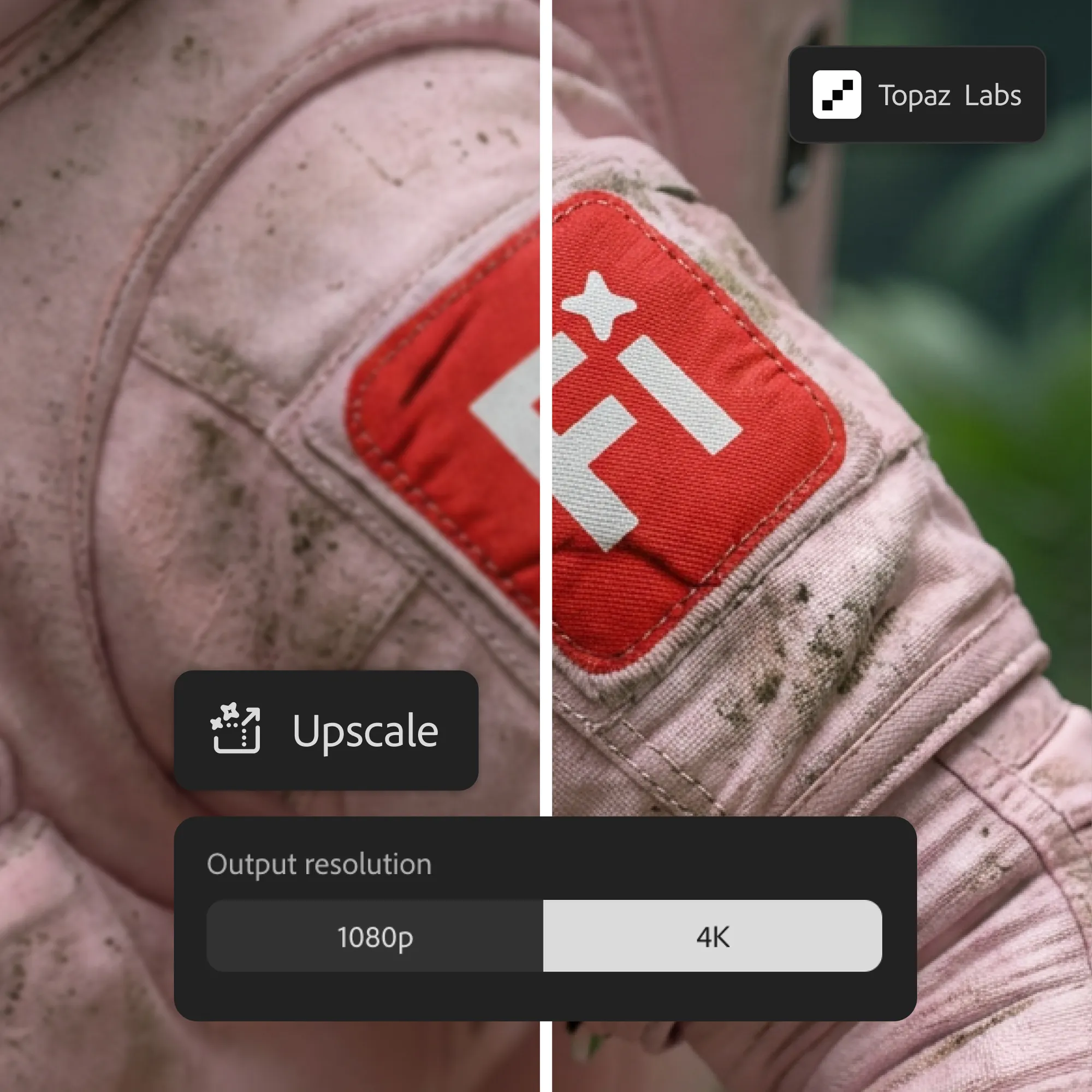
Topaz Astra, now available in Firefly Boards, lets users push the resolution of their footage. (Source: Adobe)
Adobe further said it is expanding its partnerships, including access to the Flux.2 photorealistic image model from Black Forest Labs, available in Firefly’s Text to Image models, Prompt to Edit, and Firefly Boards, as well as in Photoshop desktop’s Generative Fill and (in January) Adobe Express. And, Adobe is extending its promotion that gives users of specific plans unlimited generations using Firefly’s video model and all image models—both Firefly and partner models (including the new Google Nano Banana Pro, Flux.2, and others)—until January 15, 2026.
Adobe says its goal with Firefly is to provide users with a single place where they can choose the right model for generating assets for their projects, and then obtain the results they want using the tools and controls Firefly offers.
WHAT DO YOU THINK? LIKE THIS STORY? TELL YOUR FRIENDS, TELL US.