
With NAB 2026 just days away, Adobe has released details on a number of new AI-powered features, including the introduction of the brand-new Color Mode in Premiere, designed specifically for editors. Adobe has also bumped up Premiere and After Effects to v26.2, infusing both with added features. New capabilities also have been added to the Firefly Video Editor, along with the addition of Kling 3.0 and Kling 3.0 Omni video models. And, Frame.io Drive begins rollout, enabling users to work with Frame.io projects as if they are stored locally. Adobe also launched AI Studio, a new suite of AI-powered editing tools within Adobe Stock’s website.
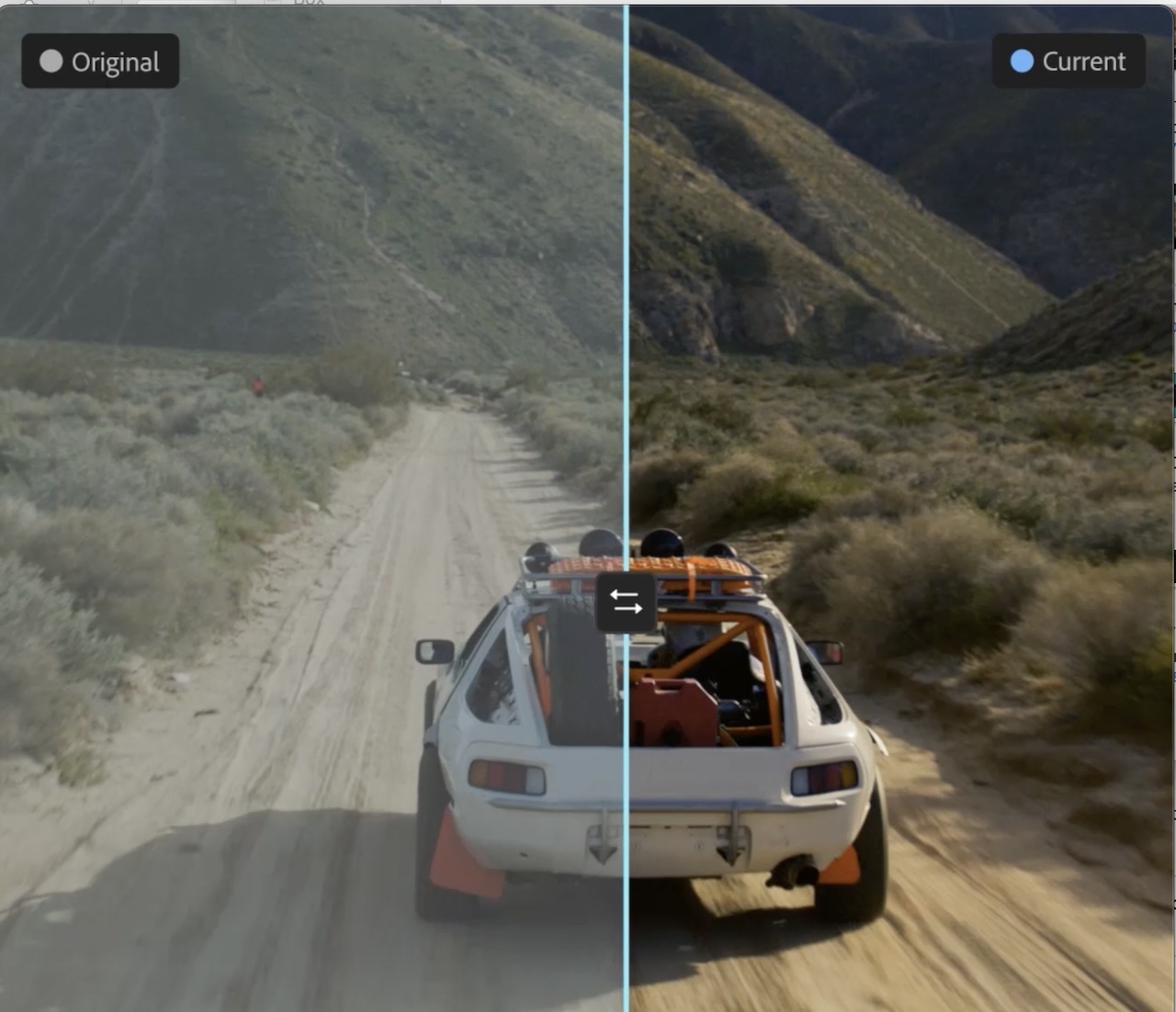
The new Color Mode in Adobe Premiere—professional-level color grading for editors. (Source: Adobe)
It’s April, meaning it’s time for the Adobe Summit customer experience conference starting April 19–22, and Adobe is poised for a series of announcements for the creative community. But before that is NAB, April 18–22, and timed for the video segment of that broadcast-focused audience comes announcements that span Adobe Premiere, After Effects, Firefly, and Frame.io.
As Adobe tells it, its ecosystem is built around the craft of storytelling—from initial idea to final cut—and that’s been the case for the past 40 years. And, that is what’s guiding the following announcements today. Throughout the years, there have been some significant technological shifts, from nonlinear editing and digital video, to HD, 4K, and real-time workflows, as well cloud collaboration. And, of course, AI.
“We have a clear and unchanging point of view on AI. It’s a tool for human creativity, not a replacement of it,” said Meagan Keane, director of product marketing at Adobe.
To this end, Adobe integrates AI into video workflows to save users time, to remove friction, and to keep customers focused on their creativity and storytelling, with creative ideation and vision always remaining with the creative, the company says. And, the new announcements are reflective of that stance, with the newly announced video innovations designed to advance how creators make, edit, and share video.
Adobe Premiere
The headline associated with Premiere centers on color grading, with what Adobe contends is a reinvention of color for editors following the introduction of the brand-new Color Mode in Premiere (beta). Whereas editing video used to be defined by the cut, nowadays editors find themselves doing everything themselves, from end to end, and when it comes to color grading, using tools designed for pro colorists, not editors. Dubbing Color Mode a first-of-its-kind color-grading experience built from the ground up for editors, Adobe says the offering is purpose-built for the way editors actually think and work, making it an extension of the edit itself and resulting in a shallow learning curve.
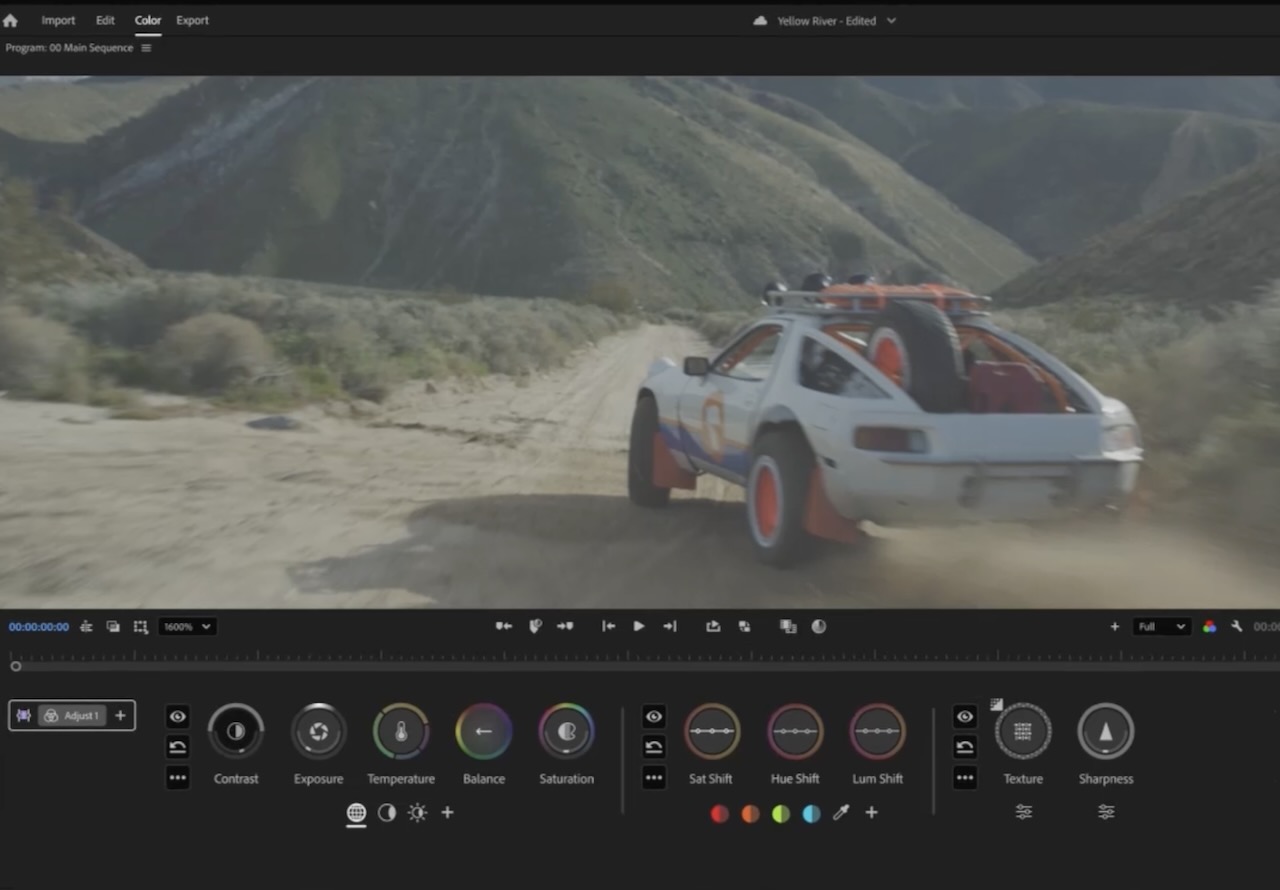
(Source: Adobe)
With Color Mode, editors are able to see how color flows throughout their projects. The bidirectional color controls with animated heads-up displays show users exactly what is transpiring as they are working. Users can color-grade single clips or every clip at the same time using a feature called Operations, for grading, copying, and moving color information between clips across the timeline. There are also style presets and collections of pre-graded color effects called Modules, which are individual building blocks that give the user advanced professional colorist-level looks an editor can use if so desired.
Color Mode is now in public beta for all Premiere subscribers, with general availability later in 2026.
There’s more premiering in Premiere, with improvements in Version 26.2 designed to speed up workflows, including five new Film Impact-powered, GPU-accelerated effects and transitions, including Gradient, Noise, Channel Blur, and more. There’s also a searchable Sequence Index panel for navigating complex timelines, making media management simpler. A smooth option for AI-powered Object Mask, released in Version 26.0, enables even finer-detail mask refinement with better edges.
Adobe has also made relinking offline media faster and smarter, with improved path tracking that works across drives and platforms, for faster searching and locating missing clips.
Premiere 26.2 is available now.
Adobe After Effects
Adobe further rolled out After Effects 26.2, also with a new AI-powered Object Matte for generating advanced mattes in motion design and compositing, with a simple hover and click. There’s a new suite of AI-powered rotoscoping tools (including Quick Selection Brush, Refine Edge tool, and others), for faster and more accurate tracking to accelerate matte creation.
Adobe Firefly
Firefly, Adobe’s all-in-one AI creative studio offering more than 30 industry-leading models, has been bolstered by new capabilities in the Firefly Video Editor and the addition of Kling 3.0 and Kling 3.0 Omni video models. This enables users to generate, edit, and refine their work, all in one location.
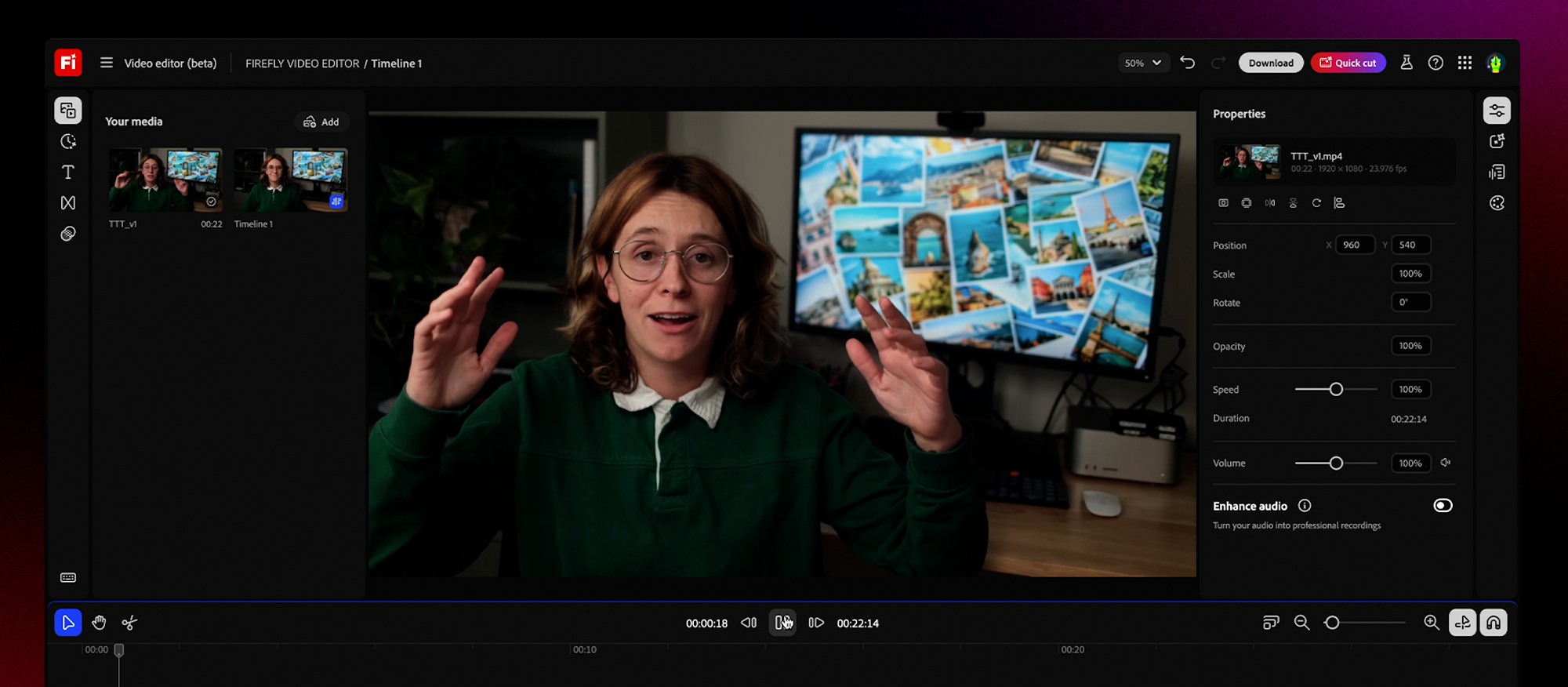
Firefly Video Editor. (Source: Adobe)
Adobe has added audio upgrades directly inside the Firefly Video Editor, including Enhance Speech for automatically cleaning up dialog. Also, Adobe Stock is now integrated directly into the Firefly Video Editor, enabling users to access over 800 million licensed assets such as video, images, audio, and sound effects, all without leaving their workflow.
These upgrades join recent additions including Quick Cut, which takes users from raw footage to a structured first cut in seconds, and Firefly Foundry for tuning AI models to a user’s unique branded content.
Adobe Frame.io
Frame.io typically has been used at the end of production, for reviewing finished work. Now, Frame.io has moved upstream to the start of the work process with Frame.io Drive, a new desktop application that enables users to mount their Frame.io projects directly to their computer and work with their media as though it’s stored locally, without having to wait for downloads or synching. As a result, editors, designers, and motion designers are all working from the same shared project, whether they’re working in Premiere, Photoshop, After Effects, or other creative software.
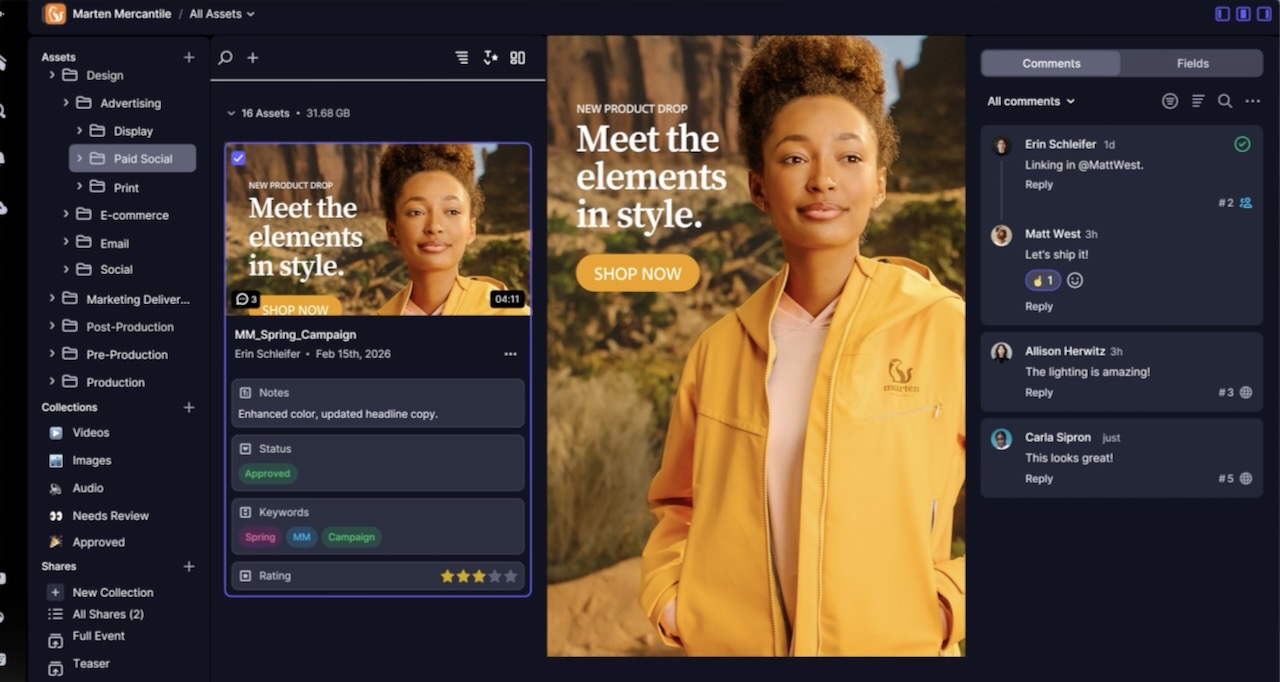
Frame.io Drive results in a single source of truth for the entire production. (Source: Adobe)
Once Frame.io Drive is mounted, the media appears in Finder or Explorer and behaves like local files inside the creative tools each person in the chain uses. The media streams in real time, with local caching that keeps performance fast, even with larger file sizes.
Frame.io Drive is powered by Frame.io Mounted Storage, a new architecture for real-time access to large media files. Both Frame.io Drive and Frame.io Media Storage build on streaming technology by Suite Studios.
With Frame.io Drive, there is one shared workspace for every team, serving as a single source of truth for the entire production.
Frame.io Drive and Mounted Storage will become available in phases, starting with Enterprise customers now, with those on other Frame.io plans to follow shortly thereafter.
Adobe AI Studio
In other news, Adobe announced the launch of AI Studio, a new suite of AI-powered editing tools built directly into Adobe Stock’s redesigned website. No longer is Stock a static marketplace, as users can tailor an asset to fit their project from the very start. The platform, which houses a collection of nearly 1 billion images, videos, music tracks, and illustrations, now enables users to move beyond content discovery and refine assets directly within the same environment without switching to a separate editing tool—before licensing.
AI Studio introduces a range of image and video editing capabilities. On the image side, users can describe desired changes in natural language to update lighting, expressions, wardrobe colors, and overall scene composition. Additional controls allow for one-click mood adjustments and color scheme changes via preset palettes or hex code input. For video, new features include the ability to animate still images into short 5-second clips, apply color grading to footage, and automatically pair video with an AI-generated soundtrack through an Audio Match feature. The video capabilities are available both on the Adobe Stock site and within Premiere workflows.
LIKE WHAT YOU’RE READING? INTRODUCE US TO YOUR FRIENDS AND COLLEAGUES.