
Adobe’s Summit and Max are always filled with new product announcements and initial looks at new technologies and capabilities to whet our appetites. With Adobe Summit 2026 just days away, Adobe has released a few news items around its Creative Cloud apps, and no surprise here, these all are influenced by Firefly. There are new AI partner models, and new video and image editing features, but the one that is especially attention-getting is the brand-new Firefly AI Assistant, coming soon. Firefly AI Assistant builds on Adobe’s investment in assistive, conversational, and generative AI, extending that foundation to a new method of agentic creativity. The single, unified, compositional, conversational interface allows creators to describe what they want to achieve using their own words, and Firefly AI Assistant, operating behind the scenes, orchestrates across various Adobe apps and workflows to build the results.

Firefly is really buzzing. (Source: Adobe)
It didn’t take long for Firefly to light up the creativesphere after its release in public beta three years ago, and since then, it has continued to evolve, with Adobe releasing more and more innovations connected to it for users craving the AI-injected tools and capabilities being offered. Lately, Firefly has become Adobe’s all-in-one creative AI studio, home of agentic creativity, with 30-plus industry-leading creative AI models from Adobe as well as partners such as Google (Nano Banana) within its structure. In Firefly’s AI studio environment, creatives can use those available AI models and then edit, craft , and refine their work all in one place and directly within Adobe’s tools, as Firefly is connected seamlessly to the Adobe Creative Cloud ecosystem.
“AI is great, [and] it’s getting better every day. But it can only really be the starting point for creative vision. It’s something that you often need to refine and iterate if you want to get to exactly the output you’re looking for,” said Jonathan Tse, senior director of Creative Cloud B2B, during a briefing.
To this end, Adobe has announced a handful of new innovations for Firefly, which, in turn, are meant to enable creatives to be more innovative with their work. In addition to new partner models available in Firefly, Adobe has also expanded video capabilities in Firefly Video Editor, along with image editing upgrades in Firefly. But, the big headline is the introduction of Firefly AI Assistant, powered by Adobe’s creative agent, which stands to have a big impact on the creative community.
Firefly AI Assistant
First, a bit of history. Adobe provided a preview of conversational interfaces powered by agentic AI at Adobe Max 2025, integrating them into some of its creative apps to let users go beyond static templates, using their own words to describe what they want to do or how they want something to look, and the AI Assistant turns that description into content, with the user having complete control. At that show, Adobe launched AI Assistant in Adobe Express (in public beta) and AI Assistant in Photoshop (in private beta in Photoshop Web).
At the time, Adobe also lifted the curtain on its work with Project Moonlight (then in private beta), a personal orchestration assistant capable of coordinating and working with assistants across multiple Adobe apps and beyond. Firefly AI Assistant builds on Adobe’s investment in assistive, conversational, and generative AI, extending that foundation to a new method of agentic creativity. Adobe has advanced this technology, the evolution of Project Moonlight, by building on top of the AI systems that already live in Photoshop, Express, and Acrobat, resulting in a Firefly AI system that’s a single, unified, compositional, conversational interface.
The culmination of that work soon will be available in Adobe Firefly, as the new Firefly AI Assistant again allows creators to describe what they want to achieve using their own words, and AI Assistant, operating behind the scenes, orchestrates across various Adobe apps and workflows to build the results. Meanwhile, the user remains in control, Adobe emphasizes, providing the vision, judgment, and creative direction.
“Adobe Firefly is a category of one, with the best models, the most powerful tools, and now, a fundamentally new way of creating that gives you the combined power and precision of all our creative apps in one place,” said Adobe’s David Wadhwani, president, Creativity & Productivity Business.
Firefly AI Assistant puts the creator in the creative director’s seat, allowing the assistant in the background to orchestrate and execute against multi-step workflows, said Tse. As a result, users will be able to create work faster, and the tech enables them to take a step back and spend more time on the creative vision for their project.
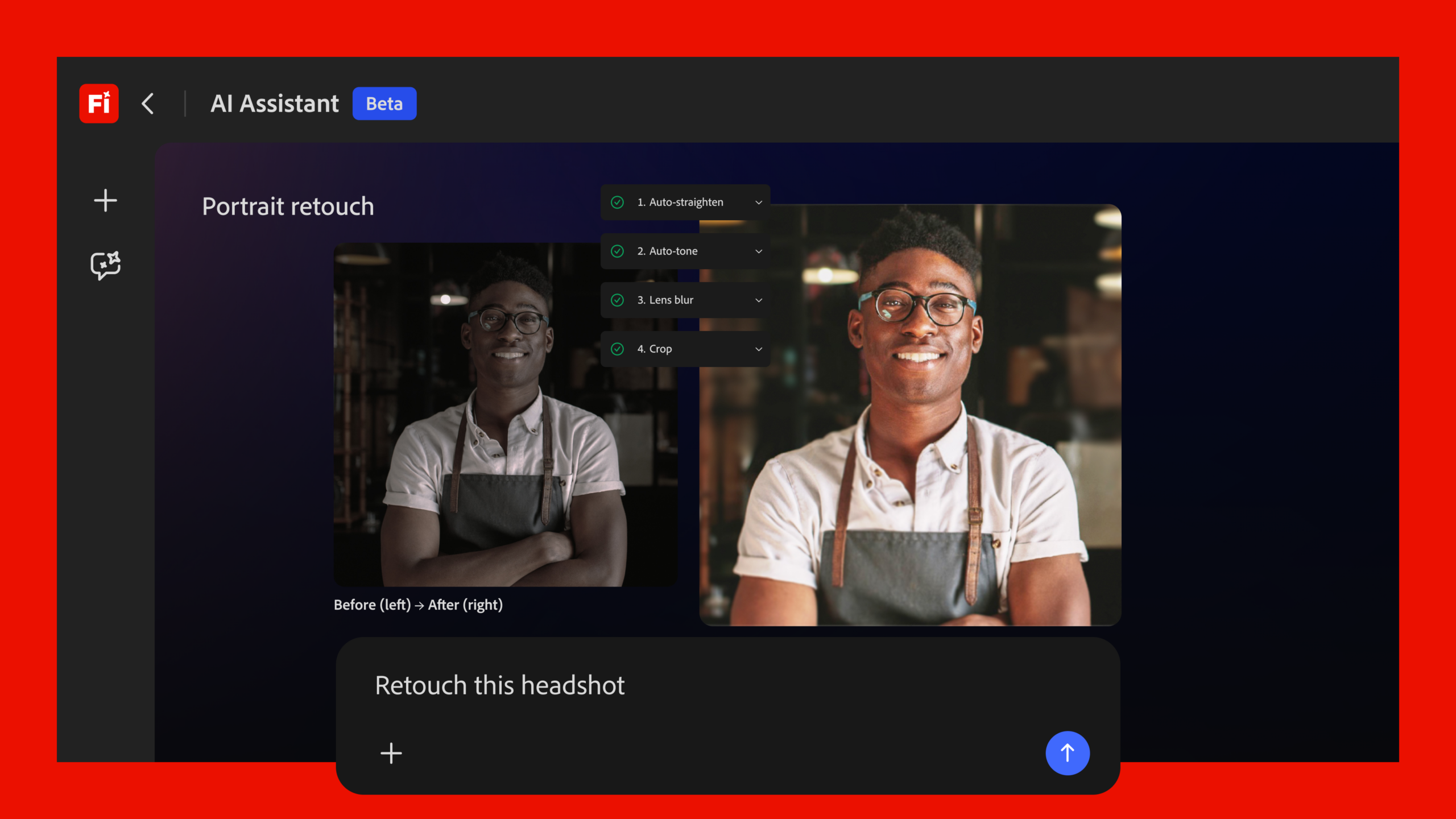
Adobe announced Firefly AI Assistant, for a new method of agentic creativity. (Source: Adobe)
Content creation today entails a multitude of complex steps to usher a concept from one’s mind to the output the person envisioned, and as Tse pointed out, it involves many steps that are manual, often having to move among different applications. Firefly AI Assistant changes this, offering a new way to create, by pulling together the tool capabilities of Adobe apps like Firefly, Photoshop, Lightroom, Illustrator, Premiere, and more, into a single surface.
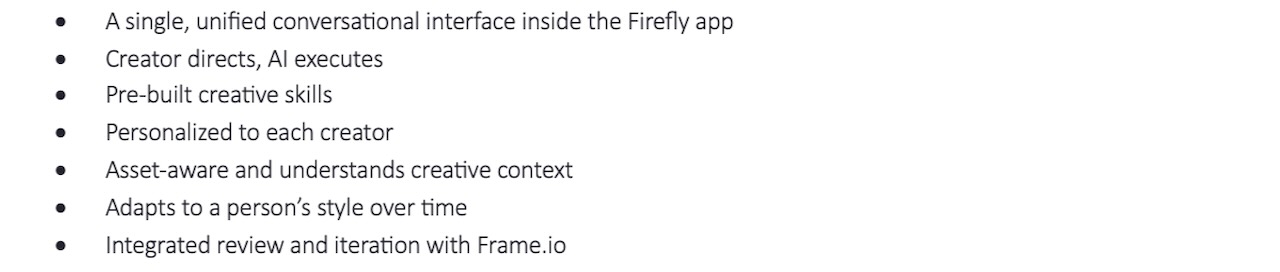
According to Adobe, the assistant works with creators, suggesting actions and helping to execute on the workflows behind the scenes while staying in tune with the creator’s creative direction. Adobe has installed pre-built creative skills, enabling Firefly AI Assistant to tap into a growing library of 100-plus tools and skills to accelerate creative exploration and production, allowing the assistants to run the multi-step workflows from a single prompt. Moreover, the assistant retains context and progress across sessions as users move through various apps. And, as a final step, users will be able to share their work for review via Frame.io; additionally, the assistant will be able to automatically apply those changes.
And since they are agentic, the assistants will learn what the creator’s preferred tools are, their workflows, and their aesthetic choices. So, over time, they will become more tailored to the creator’s prompts.
Firefly AI Assistant features and capabilities include:
What’s more, this offering will lower the barrier to entry for new Adobe tool users, enabling them to take advantage of the power and capabilities of the tools and apps across the Adobe Creative Suite without having to learn each one. Creative pros will save time by not having to manually transition from app to app, and they will be able to direct more complex, multi-step workflows faster, while maintaining control over the work.
“It’s what we think of as our pathway, as we usher in the new era of agentic AI. It’s something that we as a company have been looking at for a while now, and we’re taking that big first step forward [with it],” said Tse.
Adobe says it plans to bring this system first to Firefly, as a new way of creating with Adobe apps, and then to third-party chat platforms including Anthropic’s Claude.
Firefly AI Assistant will be available in public beta within Firefly in the coming weeks.
Firefly video and image editing
Firefly Video Editor is a browser-based video editor containing a multi-track timeline, enabling users to edit by timeline or text. Adobe has expanded on its features by providing enhanced speech ability to create studio-grade-quality audio with advanced audio controls. Advanced color controls and precision image adjustments can be made with the new Color Mode. The company has also devised an integration with Adobe Stock to make more than 800 million licensed assets available for use.
Additionally, Adobe has various imaging editing upgrades to make it easier to edit with GenAI. This includes new capabilities such as Precision Flow and AI Markup. With Precision Flow, users can explore and refine images faster by generating a wide range of results from a single prompt, with a slider to browse variations, scaling from subtle to drastic transformations, without having to start over. AI Markup, meanwhile, gives users the ability to draw directly on an image to place objects or make targeted edits by selecting where on the image they would like the edit to be applied.
And, Adobe has introduced more partner models to its ever-expanding Firefly list, adding Kling 3.0 and Kling 3.0 Omni to many others including Google’s Nano Banana 2 and Veo 3.1, Runway’s Gen-4.5, ElevenLabs’ Multilingual v2, and others. The current list can be found here.
These new video and image editing capabilities, as well as access to the new partner models, are available now in Firefly.
What do we think?
It’s difficult to comprehend what Adobe has accomplished on the creative AI front since Firefly first fluttered onto the creative scene. Since then, Adobe’s pace of innovation has been steady and fast. The company’s Creative Suite of tools has been popular across the creative community for decades, and Adobe has continued to secure that leadership position through anticipation and then delivery of innovative tools and capabilities for this group of users
With Firefly, Adobe has provided a safe, intuitive, and effective environment for creatives (wary of AI stealing their work or their jobs) to test, and then trust, the waters of AI—and creatives have embraced the growing capabilities Firefly offers. The new Firefly AI Assistant isn’t simply a more powerful tool, however. It has the potential to change the way creatives actually work and create—and it is not a stretch by any means to see this as a revolutionary offering for this community. Using Adobe creative apps (and, eventually, others’) will forever be changed.
LIKE WHAT YOU’RE READING? TELL YOUR FRIENDS; WE DO THIS EVERY DAY, ALL DAY.