
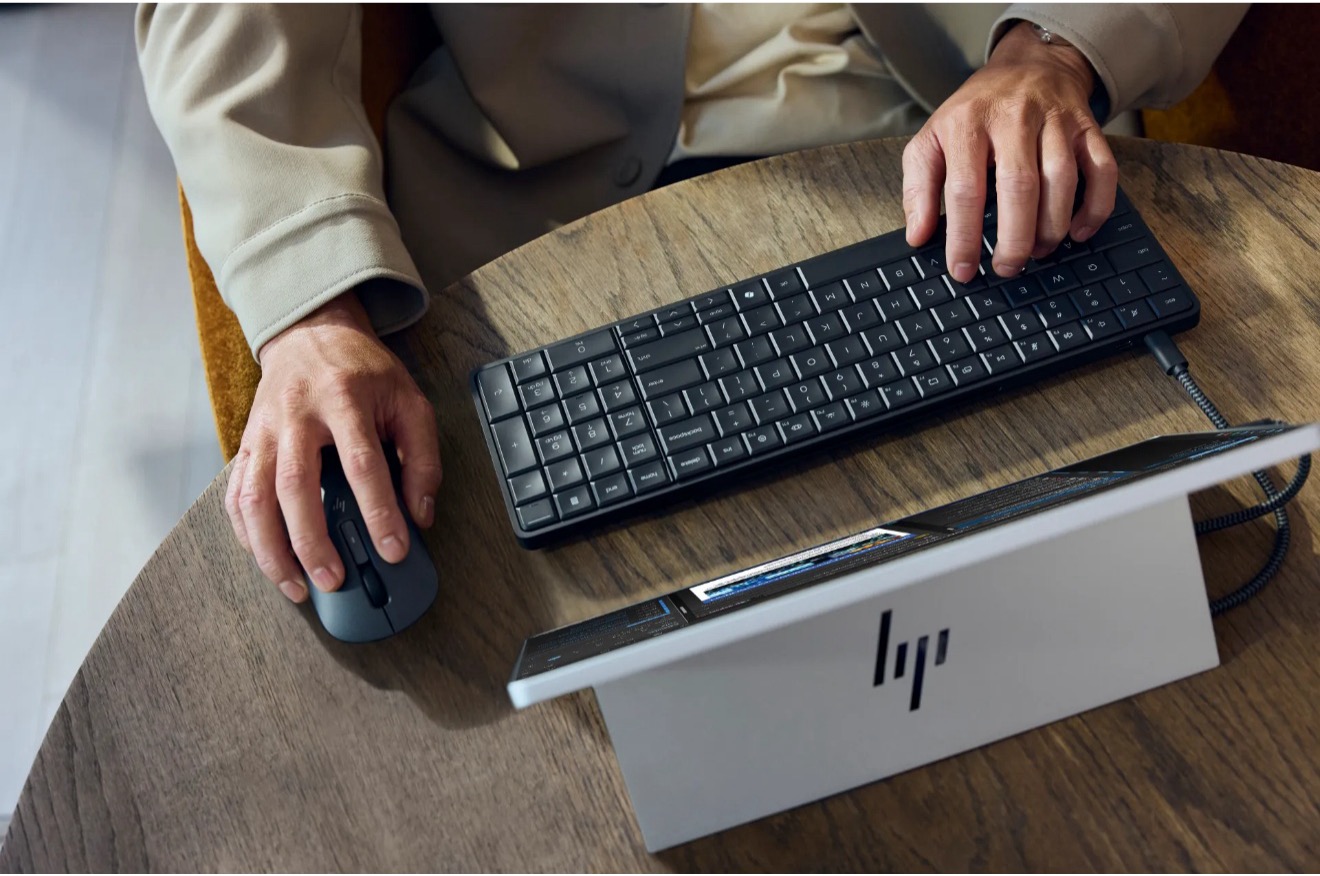
HP showed up at CES 2026 with something that made people smile—a full Windows PC hidden inside a perfectly ordinary-looking keyboard. The EliteBoard G1a feels like a clever throwback to the days when computers lived inside the keys you typed on, only now it runs modern Ryzen AI processors, powers dual 4K displays, and slips easily into a backpack. HP imagines office workers carrying it between hot desks or home setups, and while the idea may be unconventional, it sparked real curiosity on the show floor.
(Source: HP)
HP used CES 2026 to reintroduce an idea that has cycled through the industry for decades: a full Windows PC built directly into a desktop keyboard. The EliteBoard G1a arrives at a moment when businesses continue to rely on laptops for hybrid work, yet many organizations want simpler devices, easier fleet management, and lower support costs. HP positions the EliteBoard as a candidate for those needs by merging compute, input, and portability into one object that resembles an ordinary 93-key keyboard but houses a complete Copilot+-class system.
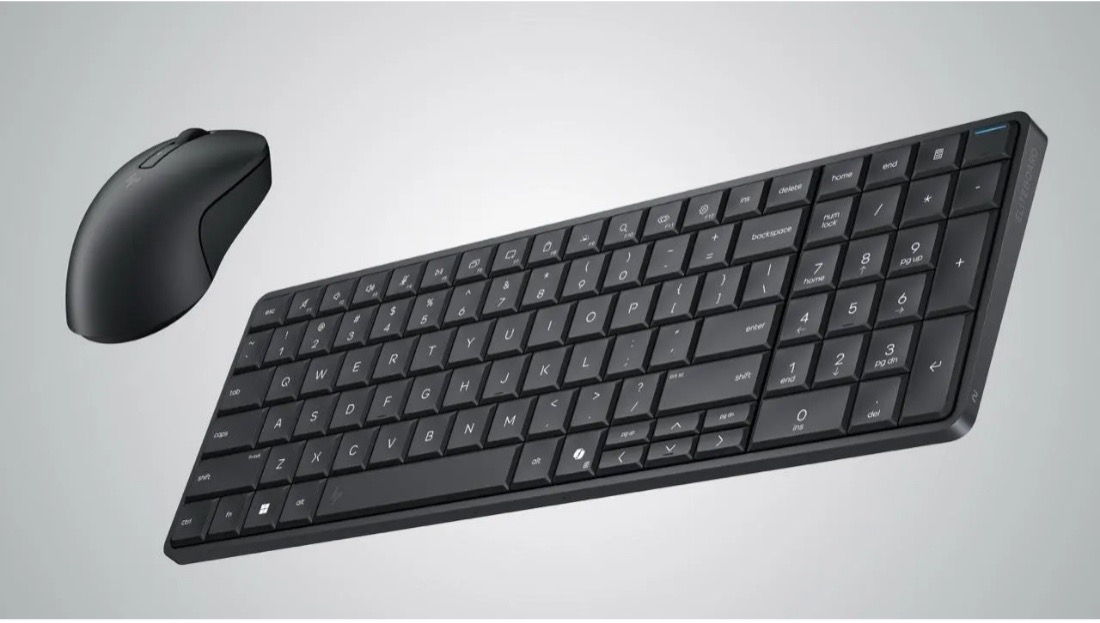
The EliteBoard’s design hides its hardware behind a familiar layout. The chassis looks like a standard office keyboard with 2 mm key travel, a number pad, and a low profile, but the underside carries vents, ports, and in some configurations, a built-in USB-C cable. The device connects to a monitor through USB-C, drawing power and sending video over the same link when the display supports it. If the display lacks USB-C, an included USB-C–to-HDMI adapter bridges the gap, although that configuration requires a separate 65 W USB-C power brick. HP expects most users to rely on a wireless mouse, which keeps the desk uncluttered and aligns with the EliteBoard’s intended workflow.
Inside the chassis, HP integrates AMD’s Ryzen AI 300-series processors, ranging from Ryzen AI 5 to Ryzen AI 7 variants. These chips combine Zen-based CPU cores, integrated Radeon 800-series graphics, and an NPU capable of up to 50 TOPS. The design meets Microsoft’s Copilot+ requirements, enabling on-device recall, AI-assisted workflows, and Windows Studio features without cloud dependency. System memory scales to 64 GB of DDR5-5600, and storage reaches 2 TB of NVMe SSD capacity. Wireless options include Wi-Fi 6E and Wi-Fi 7.
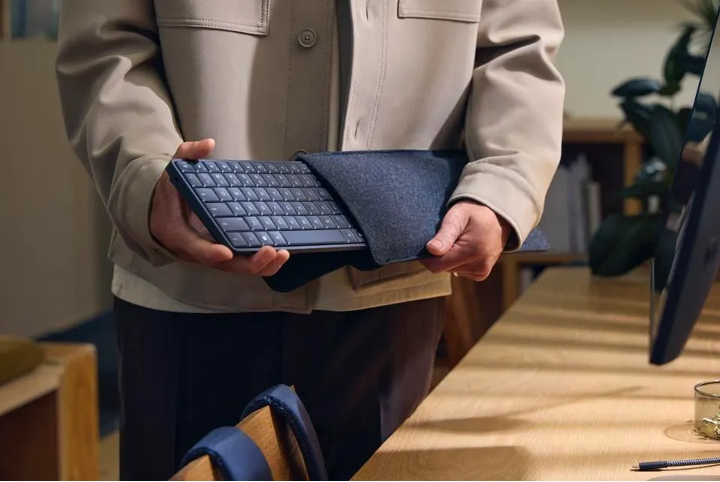
The form factor gives the EliteBoard unusual portability for a desktop-class system. At roughly 1.5 to 1.7 pounds and a footprint slightly longer than a standard keyboard, it slides into envelopes, backpacks, or any case large enough for a 16-inch laptop. HP plans to offer versions with or without a user-replaceable battery. The 32 Wh pack enables a few hours of untethered operation, which HP frames as a convenience for carrying the device between desks or powering it briefly where no outlet is available. The battery’s primary function is continuity: The EliteBoard can sleep while unplugged, eliminating full reboots when moving between locations.
The ultimate keyboard-mouse combo. (Source: HP)
HP positions the EliteBoard as an enterprise product, which brings integrated firmware security through HP Wolf Security for Business. The company imagines a workflow where employees carry the EliteBoard between hot desks in shared office environments. Each workspace provides a monitor and mouse, while the user supplies the compute unit itself. HP argues that this model reduces the need for laptops by shifting the portable element from display to keyboard.
The approach introduces trade-offs. Businesses that support hybrid work would need to supply home monitors with USB-C input or rely on adapters, power bricks, and other accessories that add complexity. Some IT departments may consider that overhead counterproductive, especially when laptops remain familiar, self-contained, and standardized. The EliteBoard’s success depends on whether the reduced device size and potential cost savings outweigh the need for users to manage additional peripherals.
Certain environments, however, align well with the EliteBoard’s strengths. Call centers and shared workspaces often rotate employees through desks, and a compact, easily replaceable compute-keyboard hybrid simplifies deployment. In these cases, the EliteBoard functions like an all-in-one system without the bulk of a dedicated chassis and monitor. The form factor reduces desk clutter and allows quick shift changes without requiring employees to log in to stationary systems that accumulate wear over time.
Enthusiasts who remember earlier attempts at keyboard-integrated computers may find the EliteBoard familiar. Devices like the Commodore 64 and later, the Asus Eee Keyboard, explored similar ideas. More recently, the Raspberry Pi 500 revived the keyboard-computer model for low-power workloads. HP’s approach differs by targeting full Windows compatibility, enterprise policy integration, and AI-accelerated workflows rather than hobbyist or niche use cases.
Early hands-on impressions from prototype units show the EliteBoard operating much like an entry-level laptop. Users have run multiple browser tabs, edited images, and played lightweight games. The experience depends heavily on external monitor compatibility; setups with incompatible displays require hubs or adapters, and the resulting cable arrangement complicates the desk layout. Once connected, the EliteBoard behaves predictably, with the Ryzen AI processors handling typical productivity loads and light media work.
The EliteBoard’s integrated speakers, fan, dual SODIMM slots, and thermal design contribute to its identity as a full PC rather than a novelty accessory. Cooling relies on airflow through the vented rear edge, which directs exhaust away from the typing surface. The build supports dual 4K displays through daisy-chained USB-C connections, a capability that aligns with modern business workflows involving document editing, dashboards, and communication tools.
HP offers configurations with detachable and embedded USB-C cables. A detachable cable appeals to users accustomed to mechanical keyboards, allowing easier storage and replacement, while the fixed-cable version includes a second USB4 port that remains available when the main cable occupies the primary one. Durability becomes a concern for the fixed-cable variant, as cable strain can degrade connectors over time.
Internally, the EliteBoard sits at the intersection of trends that have defined recent PC development. AI acceleration drives the inclusion of NPUs. More efficient integrated GPUs reduce reliance on discrete graphics for office systems. Compact modular designs allow vendors to experiment with unconventional form factors. By embedding compute into a peripheral, HP explores whether end users and IT teams will accept a shift away from laptops in environments where portability typically means “move the machine between two desks” rather than “work on the go.”
True mobility, minus a battery. (Source: HP)
The EliteBoard’s March 2026 launch will clarify its market position once pricing becomes public. For businesses, the value equation depends on whether the EliteBoard undercuts laptops by a margin wide enough to justify peripheral investments. For enthusiasts, the appeal comes from novelty and the convenience of an all-in-one keyboard that transforms any compatible monitor into a workstation. The concept blends retro computing ideas with current AI-centric hardware, testing whether the industry has room for an alternative model of personal computing built around a keyboard rather than a clamshell.
What do we think?
The EliteBoard G1a leaves a surprising impression. It is unconventional, a little nostalgic, and oddly practical in the right settings. HP isn’t trying to replace laptops so much as test a different way of thinking about personal compute—lighter, simpler, and built around the spaces people move through. It won’t fit everyone, and IT teams will need to decide whether the trade-offs beat a traditional laptop fleet. But the concept shows real imagination, and if users embrace it, HP may have opened the door to a new, quietly useful class of devices.
LIKE WHAT YOU’RE READING? DON’T KEEP IT A SECRET, TELL YOUR FRIENDS AND FAMILY, AND PEOPLE YOU MEET IN COFFEE SHOPS.