
Architects have spent a decade chasing photorealism, and D5 Render just shifted the target. Its 3.1 release turns design reviews from a slideshow of finished images into a live working session, where materials, lighting, and camera angles change on request instead of waiting on a fresh re-render. We walk through what’s new, trace where this Nanjing-based company actually came from, check its funding and customer base, and ask whether this update signals something bigger for how architecture gets presented to clients.
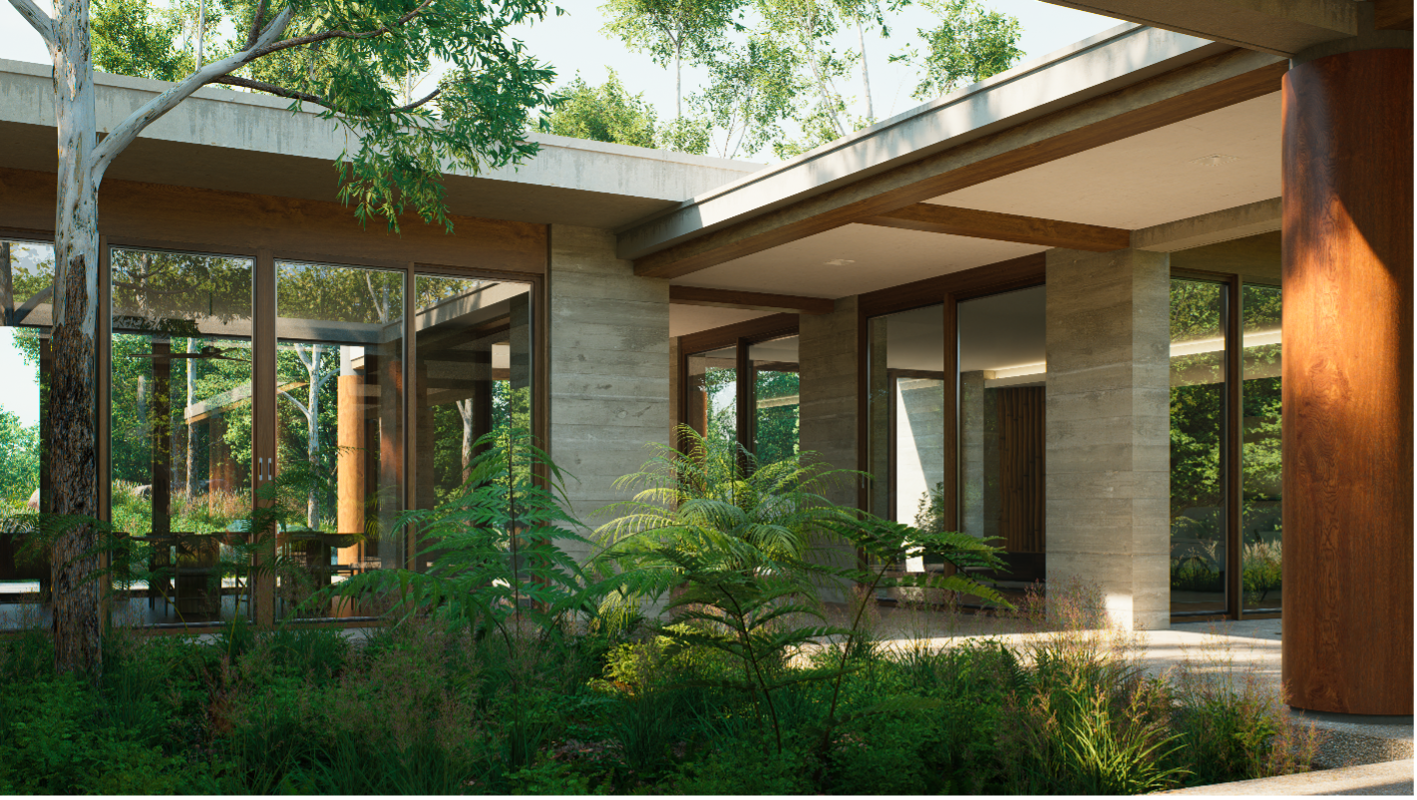
(Source: Dimension 5)
Architectural visualization teams spent the last 10 years chasing one goal: photorealism. Physically accurate lighting, richer material systems, and real-time ray tracing closed the gap between a rendered image and an actual photograph. A result that once impressed an entire studio became something clients expected by default. Rendering technology kept accelerating. The presentation itself did not move at the same pace.
Design reviews still lean on static images, pre-rendered animations, or a fixed camera path someone chose in advance. Those formats record a decision well after the fact. They rarely carry a conversation. A client asks about a different stone facade or a cloudier sky, and the room stops moving as someone goes and builds a new visual somewhere else. Architecture practice has become more collaborative over the past several years: clients, consultants, engineers, and developers now weigh in throughout a project, not just at the final walk-through. Meetings function as working sessions where decisions form in real time, and static visuals cannot keep up with that pace.
Dimension 5’s D5 3.1 aims directly at that gap. The company built Interactive Presentation, a workflow that lets architects lay out a review like a slide deck and keeps the underlying project live and editable. Instead of preparing separate image sets or animations for every possible question, a design team switches between schemes, materials, lighting conditions, weather, viewpoints, and object visibility inside the same session. A question that used to stall a meeting now gets answered on the spot, in the room, with the actual model. The presentation stops behaving like a fixed sequence of slides someone locked in the night before, and starts behaving like a shared workspace the whole room can steer.
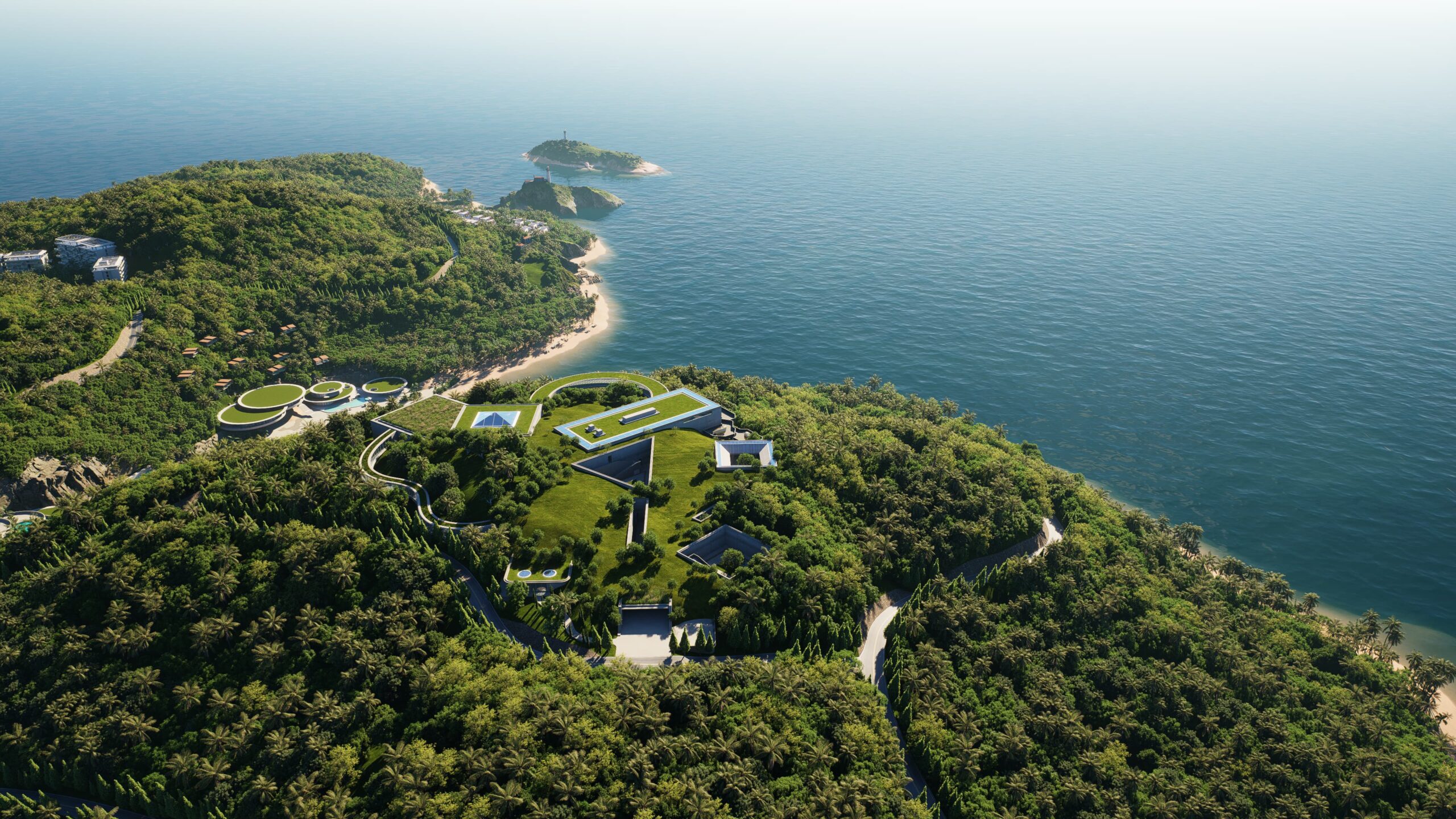
Figure 1. Photorealism in architectural visualization. (Source: D5)
Interactive Presentation is supported by a broader set of immersive review tools. Stereoscopic Panorama introduces depth-aware VR experiences that help clients better understand scale, materiality, and spatial relationships, while refined VR navigation and controller support make walk-throughs practical for everyday design reviews. Spatial Tour has also been enhanced with optimized Dollhouse reconstruction for projects that combine indoor and outdoor spaces, alongside depth-enabled VR that strengthens spatial perception. Together, these tools expand how architecture can be explored and communicated beyond the traditional still image.
A presentation only works as well as the process behind it. As visualization moves earlier into the design workflow, architects want to test ideas as they are still forming, not after documentation locks them in. D5 Lite already brought real-time visualization into SketchUp; version 3.1 extends that into Rhino and Revit, so a designer can preview materials, lighting, and overall direction without leaving the modeling tool. D5 Lite handles the early, exploratory stage: massing studies, facade development, quick material tests. When a project needs full presentation-grade imagery, animation, or an interactive review, the work moves into D5 Render. Cloud Collaboration connects both stages, letting distributed teams share and refine files without shuttling folders back and forth manually.
Interactive review only works if the underlying image quality holds up under real-time pressure, and 3.1 spends real effort there too. ACEScg working color space brings a production-grade color pipeline, the kind used in film and visual effects, into the rendering process, which keeps color consistent from early preview through final output.
HeightField Tracing adds surface relief to displacement materials, so brick, stone, and timber hold visible depth across a large scene without adding raw geometry. Seasonal Vegetation lets foliage and branch structure shift by date, so a single scene can preview spring growth or winter bareness alongside subtle seasonal color variation. Smaller updates, a custom pivot tool, a MeasureLine asset, better City Generator controls, smarter auto exposure, and wider Gaussian Splatting support trim the repetitive adjustments that eat into production time.
These updates reinforce an important point: Greater responsiveness does not reduce the need for realism—it raises the standard. As projects are explored from different viewpoints, under changing lighting conditions, and across multiple design options, visual quality must remain consistent throughout the review.
D5 3.1 reflects a more connected architectural workflow. Visualization begins during concept development with D5 Lite, continues into high-fidelity review and Interactive Presentation in D5 Render, and extends across distributed teams through Cloud Collaboration. Rather than isolated tools, these capabilities support a continuous process from early exploration to final presentation. The result is a workflow where visualization is no longer confined to a single production stage. It remains part of the design conversation from the first concept to the final review, helping teams communicate ideas, evaluate alternatives, and refine decisions as projects evolve.

Figure 2. Proposed ultra-modern apartment building. (Source: D5)
Put together, these updates describe a company betting that realism alone no longer defines the discipline. Navigating alternatives, responding to feedback in the room, and communicating a decision in context now matter as much as the render quality behind them. D5 3.1 treats presentation as part of the design process itself, not a layer bolted on after the modeling work ends.
D5 plans to show the workflow directly, not just describe it. The company scheduled a live webinar for July 21, 2026, walking through D5 Lite for Rhino and Revit, Interactive Presentation, VR review, Stereoscopic Panorama, ACEScg, HeightField Tracing, and Seasonal Vegetation together in one session. Anyone who registers and misses the live session gets the recording, a small, telling choice: A company arguing for live, interactive review still wants a permanent record for people who could not attend in person.
Who is D5?
D5 takes its name from the idea of a “fifth dimension”—the space where imagination becomes reality. D5 Render traces back to 2015, when a small team of creators and engineers in Nanjing, China, registered the company as Dimension 5, under the legal name Nanjing Weiwu Internet Techs, and set out to solve what the company describes as the long-standing compromise between rendering quality, speed, and workflow. Founder Zeping Niu spent five years building the rendering engine before the team shipped anything a customer could actually open: The first commercial release, D5 Render, arrived in 2020, marking the beginning of that effort. That gap between founding and shipping is longer than most software start-ups tolerate. But this is not a company still finding its footing; the engine underneath 3.1 is mature, built on Microsoft DXR and ray-tracing technology, blending ray tracing and rasterization to keep frame rates real-time.
That DXR foundation comes with real hardware requirements. D5 needs a ray-tracing-capable GPU: The minimum supported card is an Nvidia GTX 1060 6 GB, with AMD RX 6400 and Intel Arc A3 as alternatives. D5 recommends an RTX 3060 Ti or better for real interactive work. The GPU carries the actual rendering, shadows, reflections, refractions, and global illumination all run there, and performance scales closely with VRAM. The CPU handles a supporting role: scene loading, mesh processing, material analysis. D5 also runs Windows only, tied to DirectX 12, and supports a single GPU, not multi-card setups. For an IT department evaluating a rollout, that GPU line matters more than any other spec on the sheet.
The bet paid off early with the people whose opinion counts in this market. Nvidia named D5 one of seven top independent software vendors at Siggraph 2019, in the same group as Adobe, Substance, KeyShot, and Blender, before the 2020 launch even happened. G2 ranked D5 first among architecture software in 2021, and by 2024, the company was topping every G2 category it competed in, architecture and 3D rendering alike.
Funding tells a similar story of outside validation. D5 closed a Series A around the end of 2016, backed by Sequoia Capital China, Source Code Capital, and Chuxin Capital. Reporting from January 2025 points to an $80 million Series C, led by Zhengshan Capital, with participation from HSG, the renamed Sequoia China entity, and existing backers, putting total funding near $96 million. Employee counts vary by tracker, from the mid-20s up past 130. That spread likely reflects timing differences and how each database counts contractors versus staff, not any real disagreement about the company’s size. Most sources cluster around 50 to 100 people.
The company’s ambition has since expanded beyond rendering alone. Today, the D5 ecosystem includes D5 Lite for real-time visualization inside modeling software, D5 Works for content creation, an AI-driven design engine currently in development. Together, they reflect a broader vision: a connected workflow that supports designers from the earliest concept through final presentation.
D5 lists named customers including including BIG, KPF, and Chapman Taylor, alongside a broader base across architecture, interior design, and landscape firms. Between the Nvidia partnership, the G2 rankings, five straight years of shipped releases, and Tier-1 venture backing, D5 reads as a real, functioning business, not a demo still searching for a market. Today, D5 reports more than 3 million active professionals, over 50,000 design firms, and 7,800 universities and institutions using its products worldwide. The company is also ranked No. 1 across G2’s architecture and 3D rendering software categories. Third-party estimates put annual revenue at around $6.8 million. That figure comes from an algorithmic model, not a disclosed number, so treat it as directional only.
D5 3.1 will not settle whether interactive presentation becomes the new baseline for architectural review or stays one option among several. What it does settle is that a five-year-old, venture-backed company with an Nvidia partnership and a growing G2 record is not waiting to find out. The July 21 webinar puts the workflow in front of the exact audience that will decide the answer: architects sitting in a meeting, watching a client ask for a different material, and waiting to see how fast the room can respond.
What do we think?
D5’s real advantage isn’t any single feature in 3.1, it’s how those capabilities come together in a connected workflow that supports architecture from concept. It’s also five years of shipped releases behind an Nvidia partnership most rendering start-ups never earn. Interactive Presentation matters less as a demo and more as a signal: Rendering vendors now compete on meeting time, not frame time. For CIOs and design-tech leads, that shifts evaluation toward how fast a review actually moves.
Inflection signal
D5 3.1 points at an inflection point in architectural visualization: The industry spent a decade competing on how real a still image looks, and that race is closing in on diminishing returns. Interactive Presentation, D5 Lite’s move into Rhino and Revit, and Cloud Collaboration all push value toward speed of iteration, not frame quality alone. If rendering vendors start competing on meeting time instead of render time, the category’s roadmap shifts, and D5 published its bet on which direction that goes.
LIKE WHAT YOU SAW HERE? SHARE THE EXPERIENCE, TELL YOUR FRIENDS.