
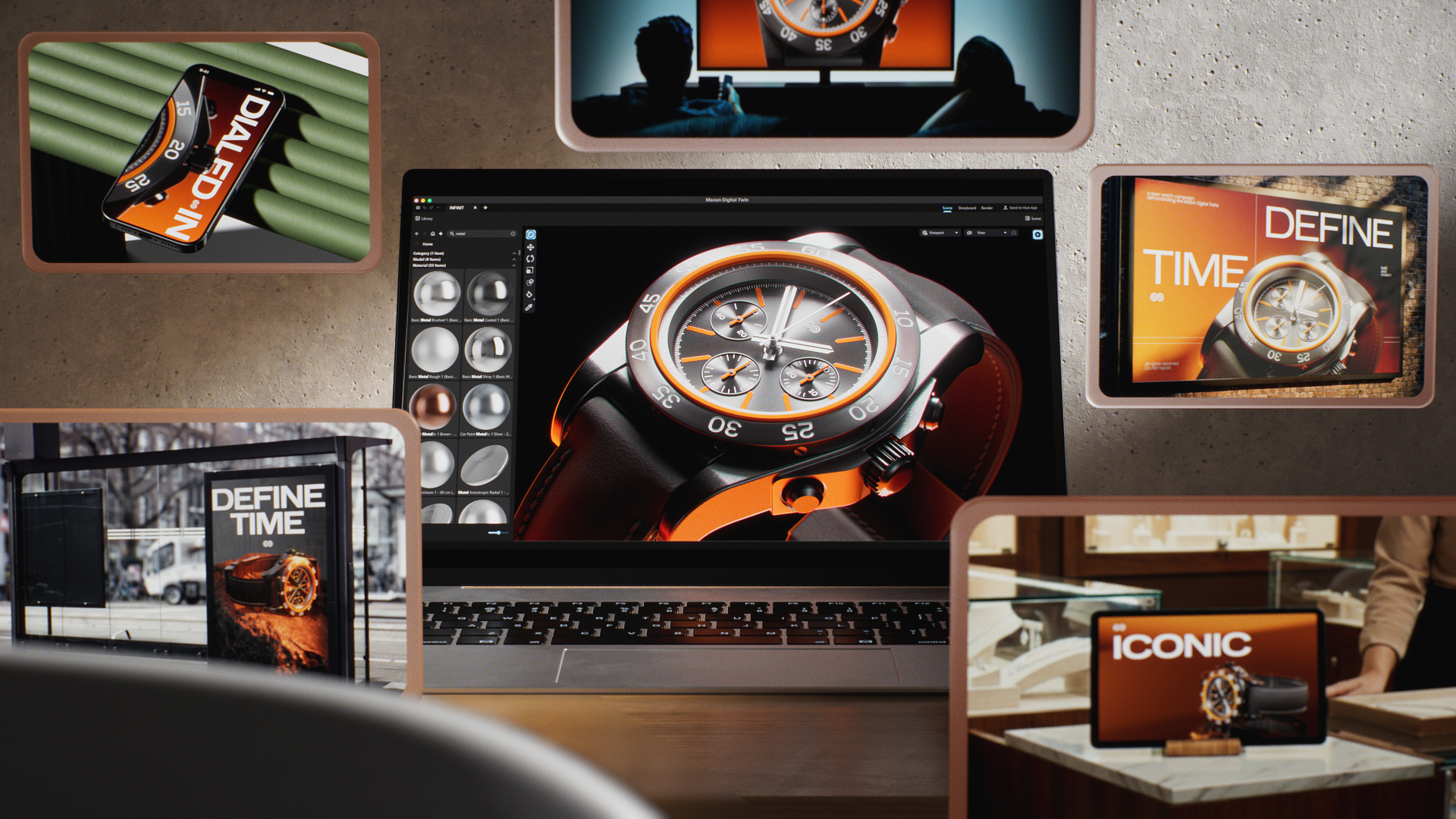
At CES 2026, Maxon previewed Digital Twin, an upcoming stand-alone application that creates a high-fidelity, fully rendered digital model of an object from CAD data. The digital model serves as a consistent CG version that can then be used to assist brand professionals in creating, managing, and scaling photorealistic product visuals across ads, video, e-commerce, and emerging AI-powered design workflows—all without requiring reshoots or re-creating assets for every channel.
(Source: Maxon)
There’s something new brewing at Maxon, something the company is calling Digital Twin. Maxon provided a preview of this upcoming stand-alone app, which, according to the company, is designed to help brand professionals create photorealistic product prototypes for marketing and commercial use by transforming CAD and 3D product models of real-world physical objects into production-ready marketing assets. As a result, brand and marketing teams are able to maintain visual accuracy, consistency, and creative control of their product images across formats, platforms, and tools, including traditional design software and AI-enabled design applications and third-party AI tools.
As Maxon points out, Digital Twin is not an AI agent and does not train on user or artist content, nor does the company have plans to develop its own AI agent. Rather, it said it will work on integrating with AI agents and popular AI-enabled graphic design apps, as AI-enabled tools are optional integrations if the user so chooses; however, Digital Twin will still work without AI agents, Maxon stated.
Digital Twin leverages the company’s 3D and rendering technologies. It also integrates with current Maxon tools, such as Cinema 4D, which can be used to create backgrounds environments into which the newly generated Digital Twin imagery can be integrated, all the while preserving the original product’s look and properties. Maxon added that it only uses its own technology and library to match a digital twin, created by an artist, with the twin’s visual context. For instance, an artist can insert the digital twin into backgrounds created from scratch by an artist or generated in part or in whole by an AI agent or AI-enabled design tool. Maxon emphasizes that the app does not learn from content created by AI agents or artists that use Maxon products.
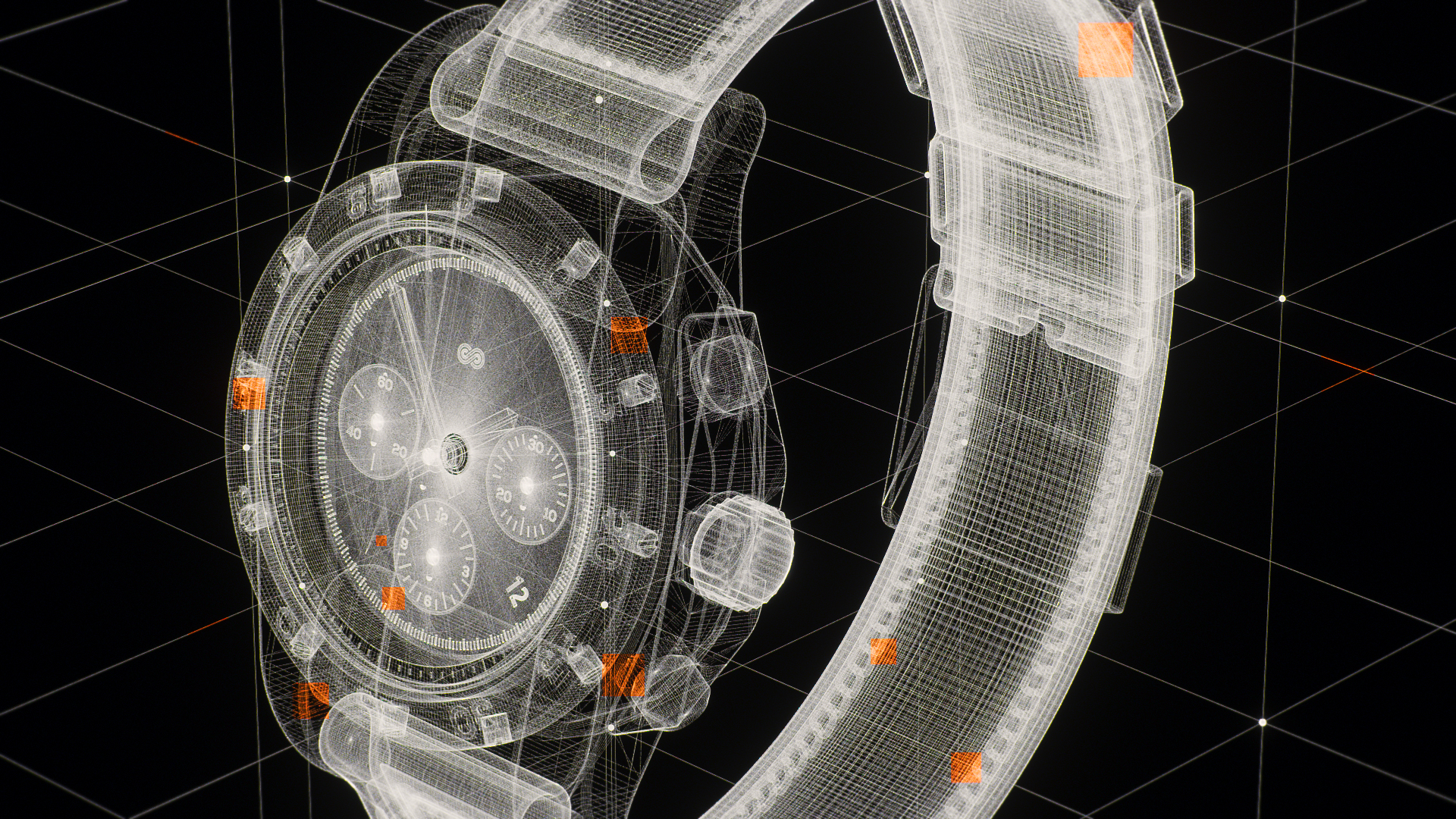
The Digital Twin process begins with CAD data. (Source: Maxon)
The Digital Twin process starts with a CAD model in the user’s 3D modeling program of their choosing. Next, the model is sent directly to Digital Twin, where photorealistic materials, studio lighting, and high-quality scene assets are set up. The model is then brought into the user’s existing design workflow and imported directly into their design app of choice, where they can generate backgrounds for their digital twin. By pressing Match Background, Digital Twin automatically handles perspective, lighting, and reflections to match the crafted environment.
The end result is a single, consistent digital photorealistic version of a real-world object, whether it is intended for use in digital ads, print, packaging, videos, etc.
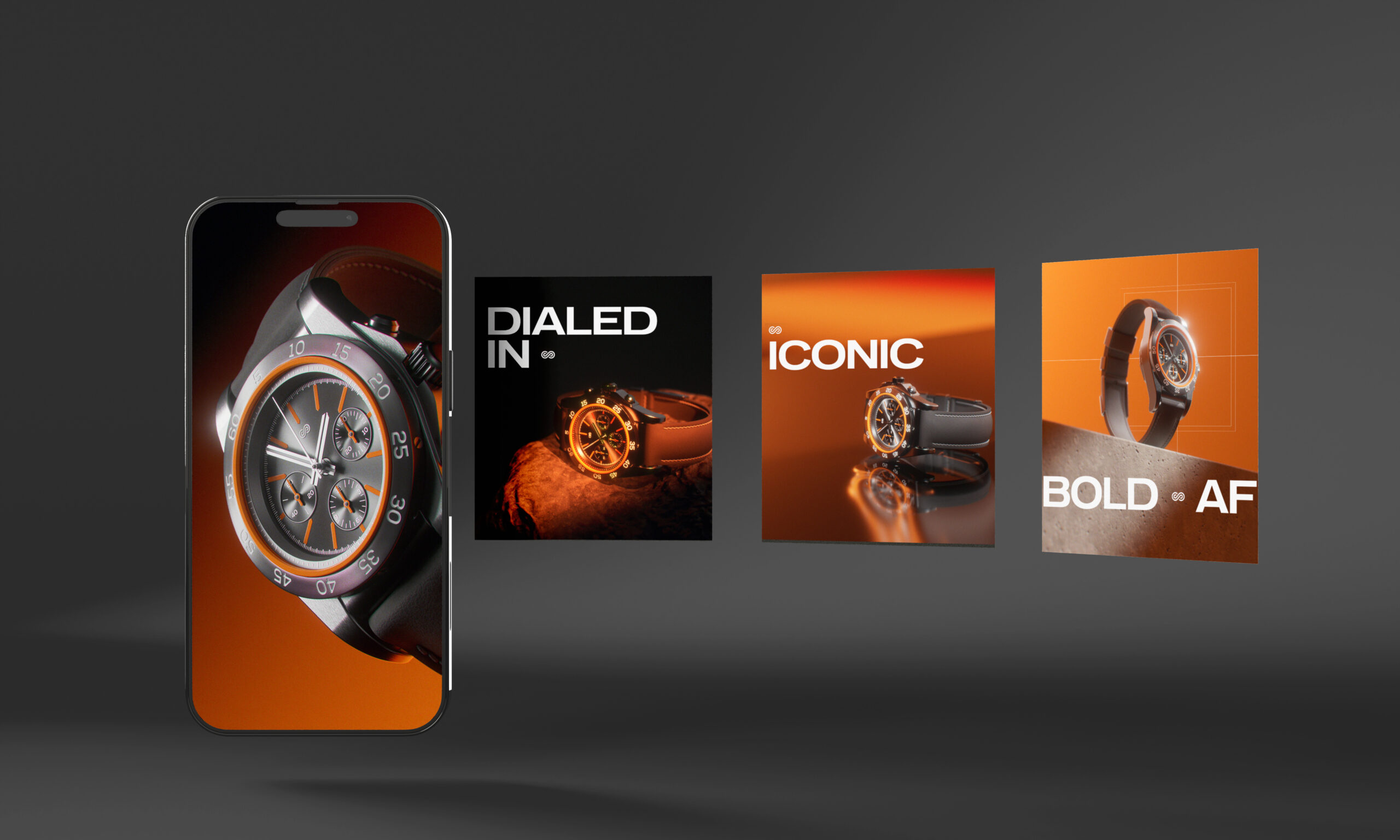
The Digital Twin model remains consistent though the lighting, orientation, and backgrounds may change. (Source: Maxon)
While Digital Twin leverages Maxon’s technology, the app is being devised a stand-alone product and will not change the company’s existing product offerings.
No release date for Digital Twin has been announced.
LIKE WHAT YOU’RE READING? INTRODUCE US TO YOUR FRIENDS AND COLLEAGUES.