
At CES 2026, Nvidia showed off the expanding reach of RTX and AI across gaming, productivity, and creative tools. From real-time system optimization and private AI search to faster AI video generation and DLSS 4.5’s 240-plus FPS upscaling, the company made a strong case for its hardware-accelerated AI edge. Notable demos included G-Assist system control, local semantic AI search, and co-processing from DGX Spark as well as cloud and Linux gaming, motion clarity, and AI NPCs.
Nvidia showcased several AI and gaming demos at CES 2026, focusing on RTX enhancements, local AI tools, and performance boosts. These included productivity aids, video generation, cloud gaming, and visual tech upgrades.
G-Assist
G-Assist is an AI-powered system control tool from Nvidia, integrated with Corsair hardware like mice for intelligent management of RTX PCs. It uses a lightweight Qwen 4B model for local processing, enabling automated adjustments to lighting, performance, cooling, and personalization without manual input.
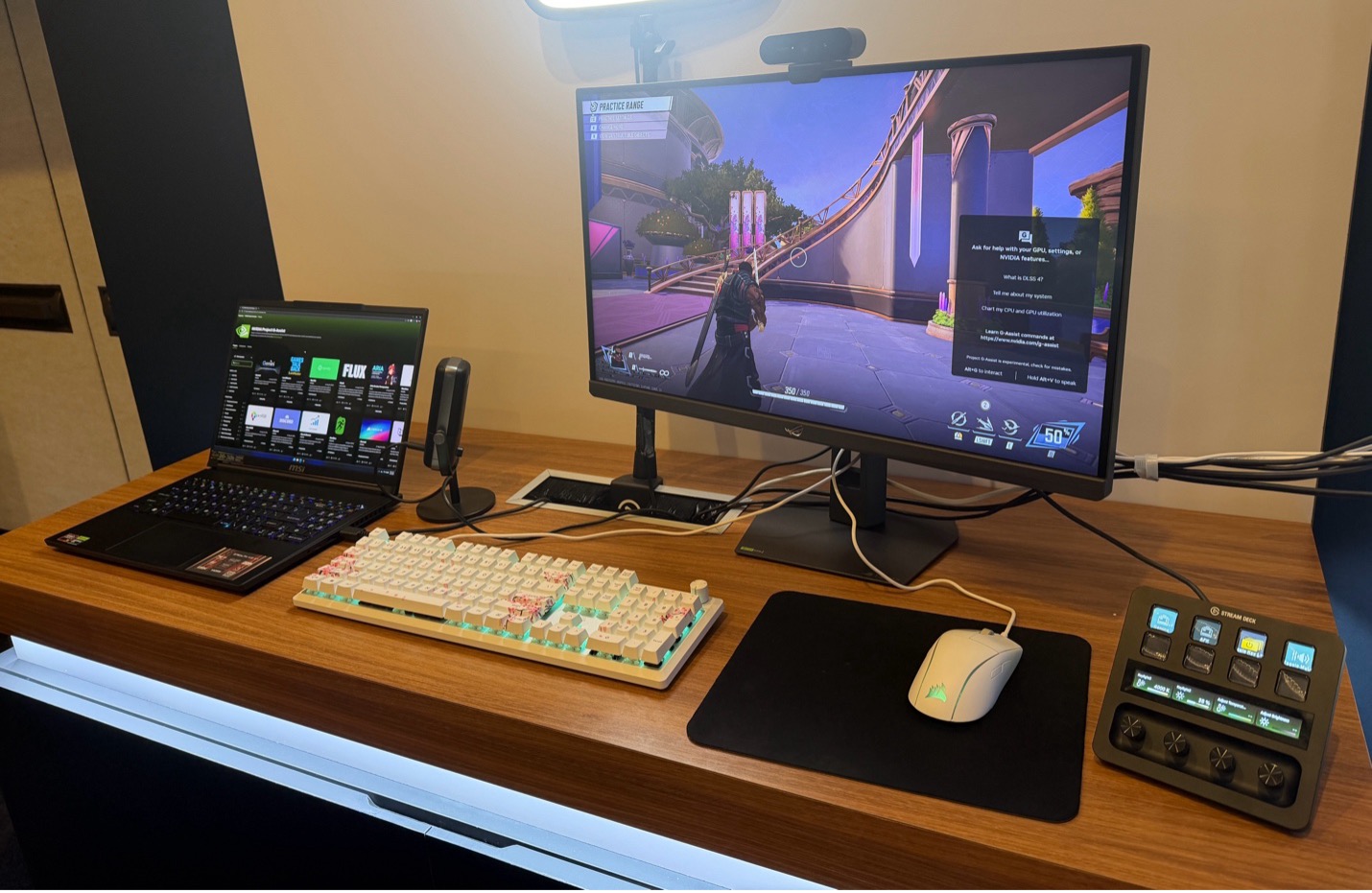
Figure 1. Nvidia’s G-Assist is an AI-powered system control tool. (Source: JPR)
This seems great for hands-on PC optimization like undervolting, though still emerging for broader use.
Nexa Hyperlink
Nexa.ai’s Hyperlink is a local semantic search agent that indexes documents, images, code, PDFs, and videos on RTX PCs for natural-language queries, keeping data private. Powered by Llama models with RTX optimizations like GGML, it delivers up to 100× faster indexing and 30× faster inference on an RTX 5090 GPU; a demo likely showed expense report creation from scanned data.
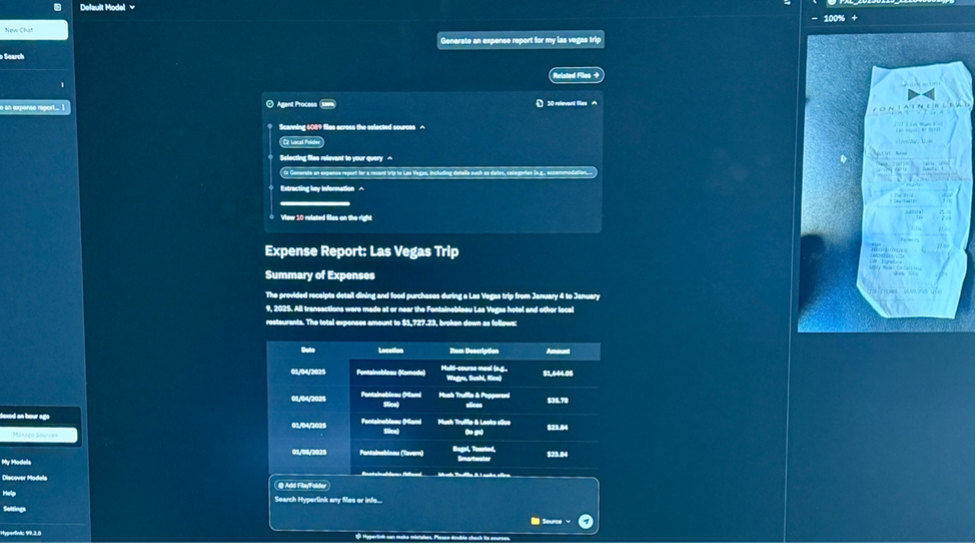
Figure 2. Nexa.ai’s Hyperlink’s semantic UI. (Source: JPR)
The 3× indexing and 2× inference speed boosts for productivity in research and content tasks look meaningful, but we will have to use it a bit to get a better sense of whether we really need this in our workflow.
AI video generation
Nvidia highlighted RTX-accelerated 4K AI video generation pipelines, such as those in ComfyUI and LTX-2 models, with up to 3× faster performance and VRAM optimizations for larger models on RTX PCs.
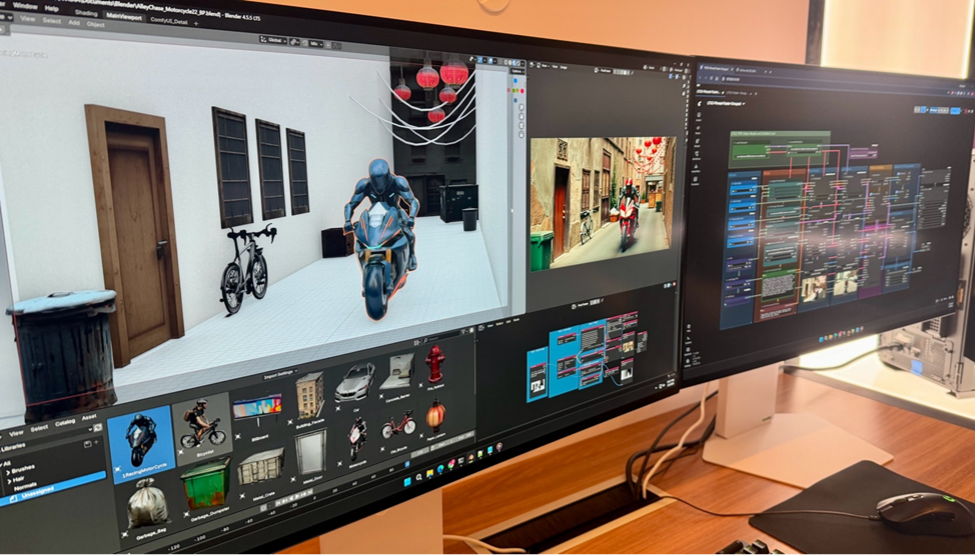
Figure 3. Raw video ingested into ComfyUI. (Source: JPR)
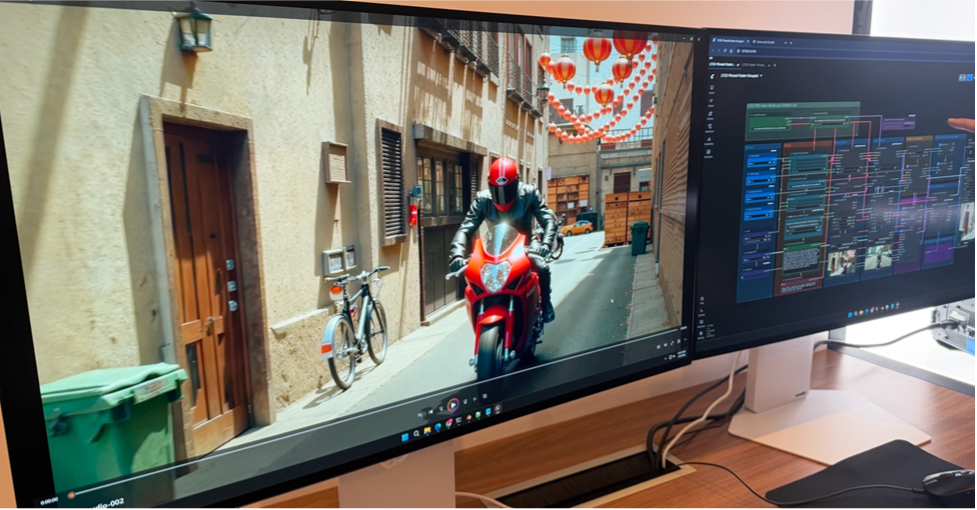
Figure 4. Same video after ComfyUI enhancements. (Source: JPR)
Demos included precise 3D scene control in Blender for high-fidelity outputs. Could this be a game-changer for creators’ 4K workflows? Maybe, but there is a lot of cloud competition.
DGX Spark with MacBook Pro
DGX Spark, powered by Grace Blackwell Superchip, acts as a co-processor for MacBook Pro via high-speed connectivity, off-loading AI tasks like video generation. A demo showed an M4 Max MacBook reducing Flux.1-dev video generation from 8 minutes to 60 seconds using Spark’s 1 PFLOPS throughput and NVFP4 quantization. This one we do think is a breakthrough, turning laptops into AI supercomputers. We have more detailed thoughts on this here.
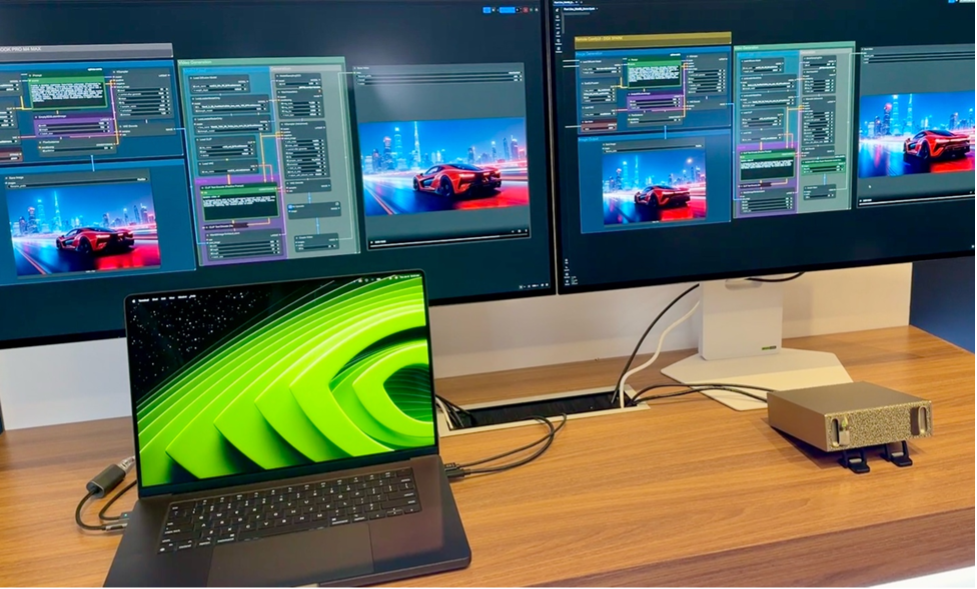
Figure 5. Nvidia’s Spark in action. (Source: JPR)
GeForce Now is native on Linux
GeForce Now now offers a native Linux app, outperforming browser streaming with RTX 5080-class performance, HOTAS flight stick support, and faster sign-on. This extends high-fidelity cloud gaming to Linux desktops beyond Web limitations. It’s a good accessibility upgrade with solid performance gains, and Linux is certainly getting to be a much stronger gaming platform, although, to our mind, much of the momentum for Linux gaming is still around AMD, driven by their handheld relationships.
DLSS 4.5 (240 fps adjustment)
DLSS 4.5 introduces a second-generation transformer for Super Resolution and 6× Dynamic Multi Frame Generation, automatically scaling frame multipliers for smooth 240-plus fps in 4K path-traced games on RTX 50-series GPUs. Over 400 games are supported.
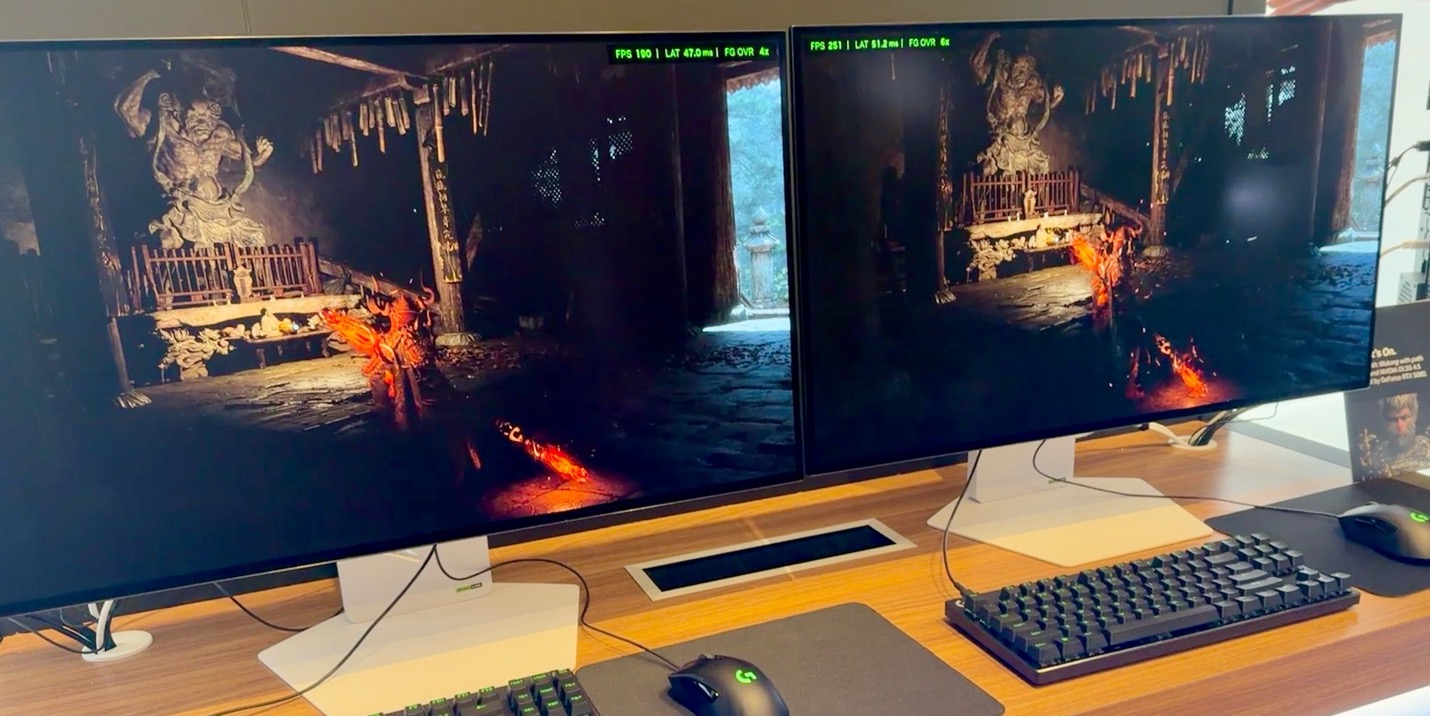
Figure 6. Nvidia demoed its latest version of DLSS—4.5. (Source: JPR)
Also check out the story on DLSS 4.5 here.
DLSS 4.5 can generate up to five additional generated frames per traditionally rendered frame, dynamically boosting performance up to the refresh rate of your display.
We are strongly positive on this one: First glance showed cleaner upscaling, fewer artifacts, and big frames-per-second boosts across RTX hardware. I will be looking forward to installing the driver updates to enable this.
1,000 Hz motion clarity (MSI, Asus, AOC, Acer)
G-Sync Pulsar monitors from MSI, Asus, AOC, and Acer deliver over 1,000 Hz effective motion clarity via variable frequency backlight strobing and Ambient Adaptive Technology for stutter-free gaming.
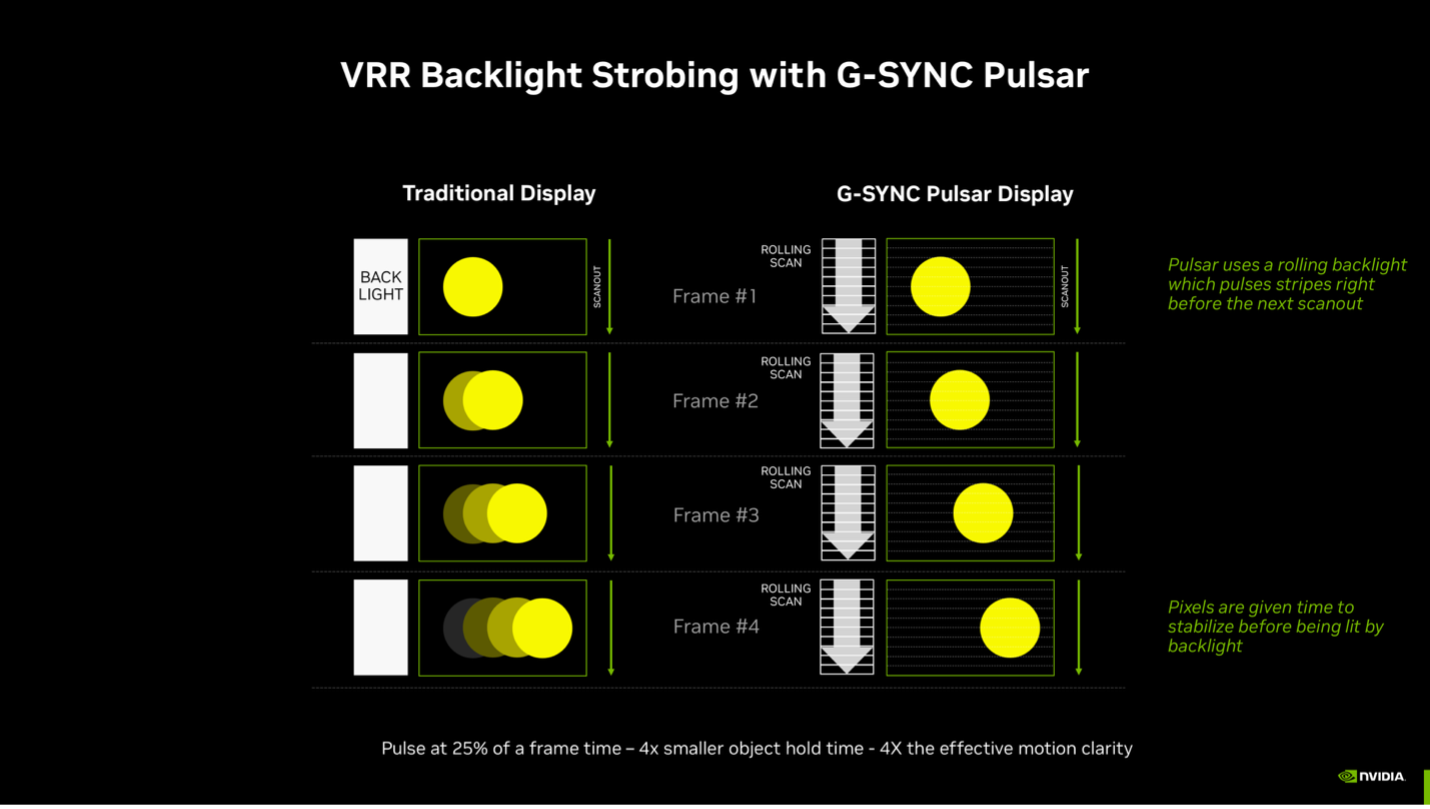
Figure 7. By default, Pulsar works from 90 fps to the maximum refresh rate of the monitor. (Source: Nvidia)
I’ve heard this is a “motion clarity revelation” and esports folks seem excited by it. Could I see a huge difference? I regret I could not. Text was certainly sharpened, but other objects looked largely the same to me.
Nvidia Remix Logic
RTX Remix Logic enables modders to dynamically alter visuals (using 900-plus settings) in response to in-game events like player position or time, via a no-code node interface for over 165 classic games, without needing source code.
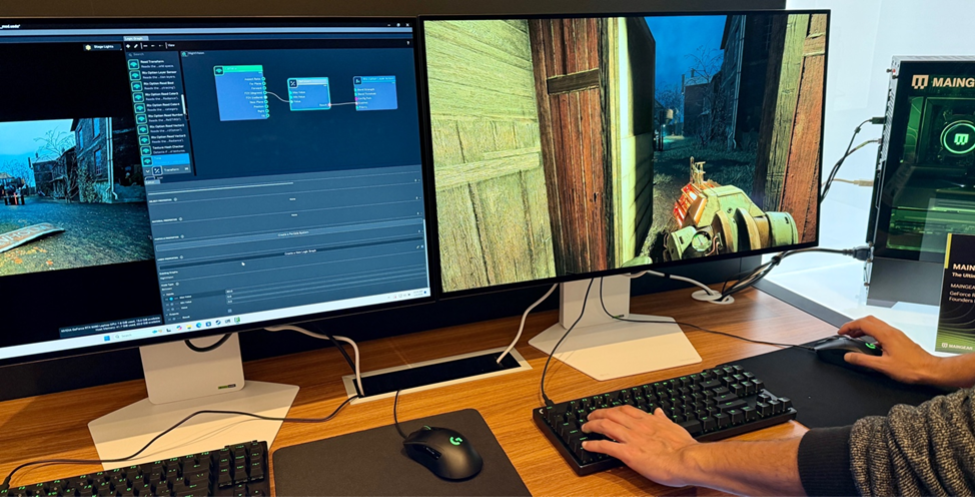
Figure 8. Nvidia’s RTX Remix Logic in action. (Source: JPR)
We know there are lots of fans for these dynamic effects in the old classics. Nice to see more progress.
Nvidia ACE on PUBG
PlayerUnknown’s Battlegrounds (PUBG) is a popular battle royale game where up to 100 players parachute onto an island, scavenge for weapons and gear, and fight to be the last one standing. Nvidia ACE powers PUBG‘s Ally AI squadmates, autonomous companions that perceive, plan, loot, drive, fight, and follow orders like real players. It is launching in early 2026 via PUBG Arcade.
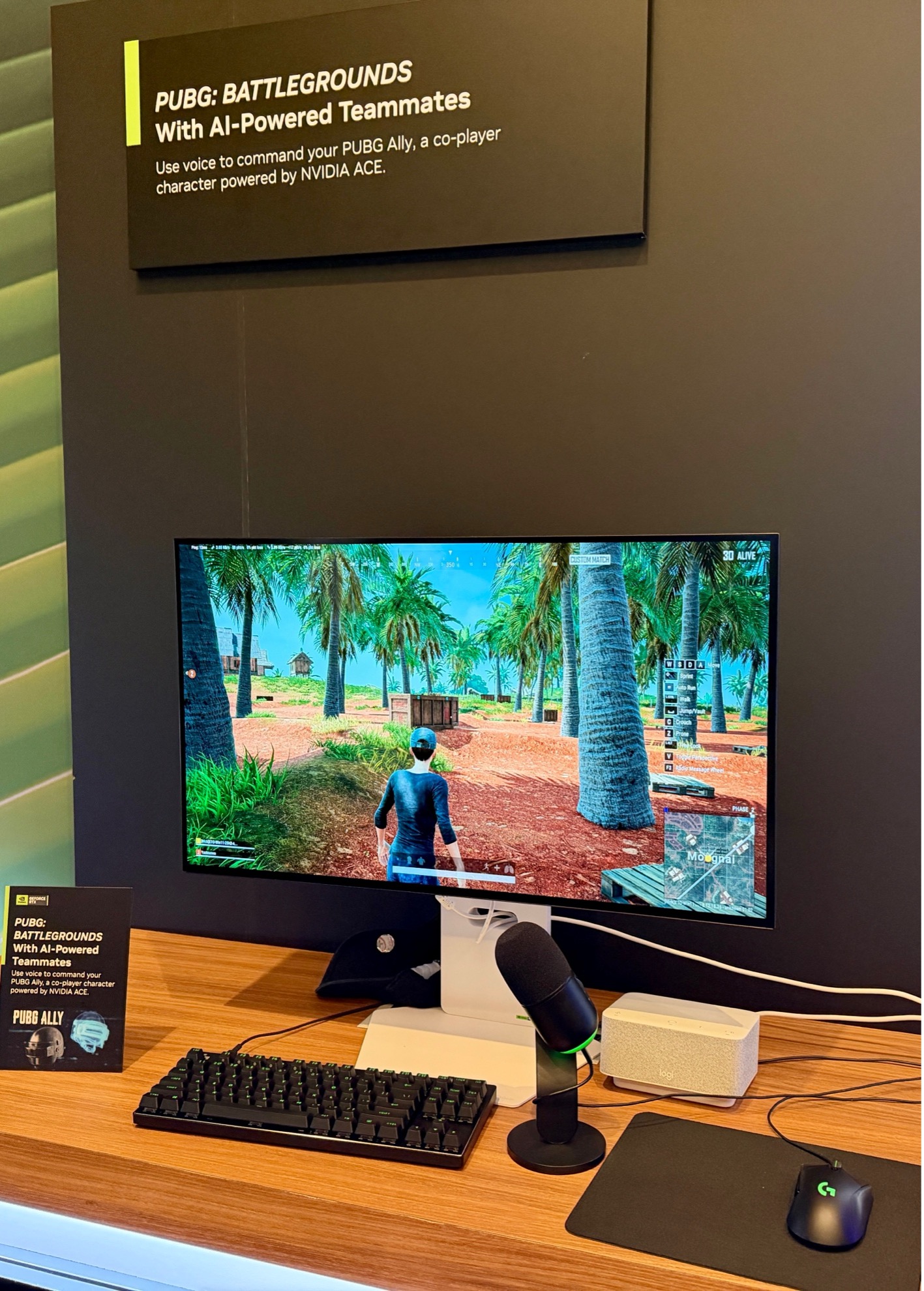
Figure 9. Nvidia ACE powers PUBG’s NPGs and squadmates. (Source: JPR)
The AI seemed like uncommonly helpful multiplayer squadmates. These aren’t games I play, but it seemed clever. I’ll leave others to judge if it is also fun.
WHAT DO YOU THINK? GOOD ENOUGH TO TELL YOUR FRIENDS ABOUT IT? YOU HAVE OUR PERMISSION TO SHARE IT.