
With the launch of Houdini 21, SideFX has updated its system requirements to reflect the computational demands of modern procedural animation and fluid simulations. Our analysis breaks down the shift away from legacy hardware, emphasizing the necessity for modern processors, the critical importance of the GPU and its VRAM capacity, and the move toward modern operating systems. We provide a detailed look at what we consider appropriate specifications versus official documentation to help IT managers and artists align their workstation investments with productivity goals.
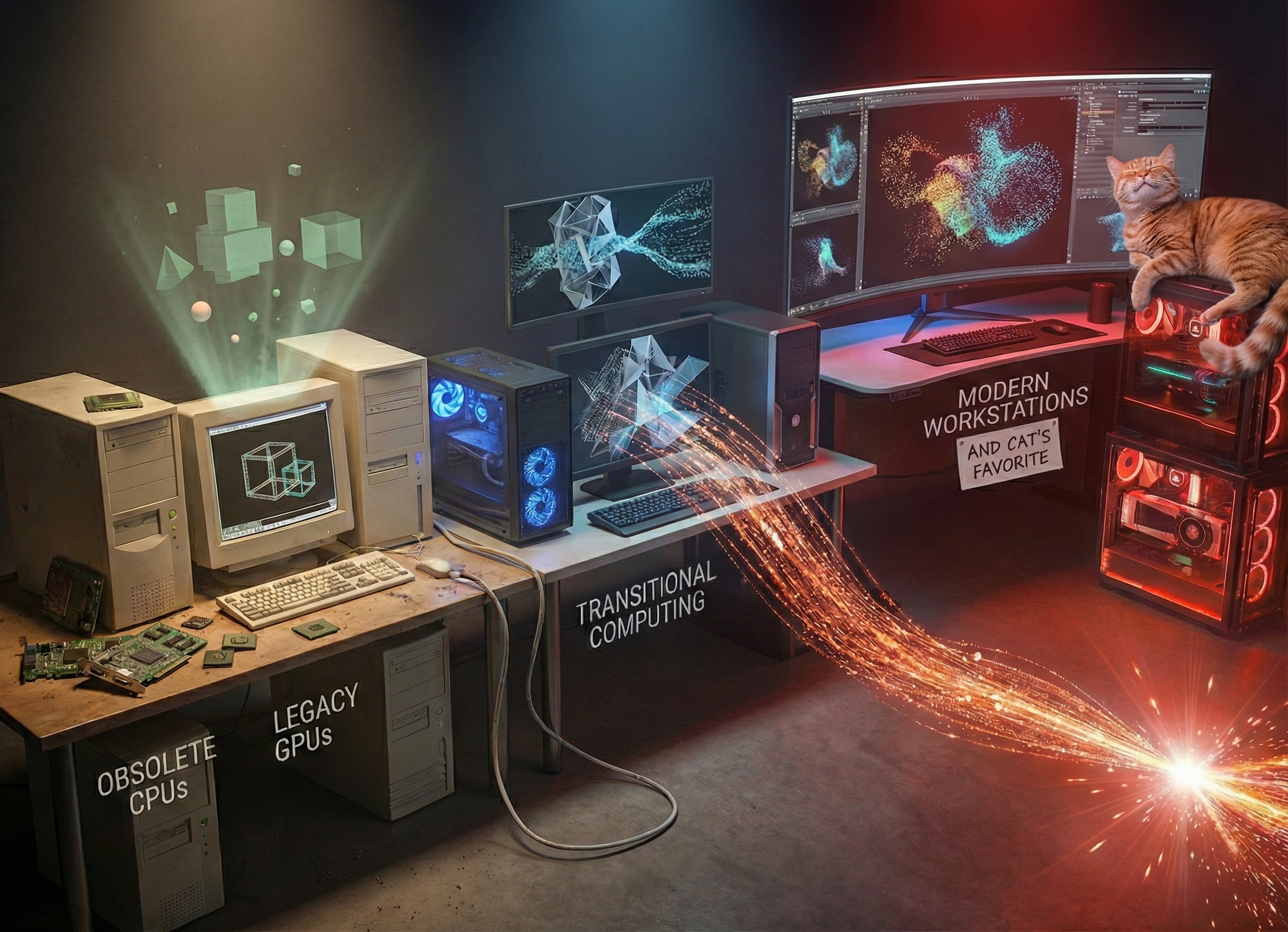
Evolution of workstations from minimum to appropriate system requirements in procedural animation workflows in SideFX Houdini. (Source: Gemini Nano Banana Pro)
At Siggraph 2025 in Vancouver, SideFX launched Houdini 21, the latest iteration of the industry-standard tool for procedural 3D animation and VFX. Houdini continues to dominate the media and entertainment landscape; according to the State of 3D 2024 and 2025 surveys by Poliigon.com, it holds top spots for stability, performance, and developer confidence across animation, advertising, games, and VFX. It is truly a remarkable application.
However, with new software capabilities come a shift in hardware necessities. SideFX’s official system requirements often list the absolute floor for functionality—computers that can open the software but can barely perform any meaningful work. This report analyzes the gap between minimum and recommended or appropriate requirements, to identify what is actually required for a professional workflow, moving beyond obsolete specifications to ensure artists are not bottlenecked by their tools.
SYSTEM REQUIREMENTS ANALYSIS
The baseline for this analysis is based on the Minimum System Requirements for Houdini, provided by SideFX at: https://www.sidefx.com/Support/system-requirements/.
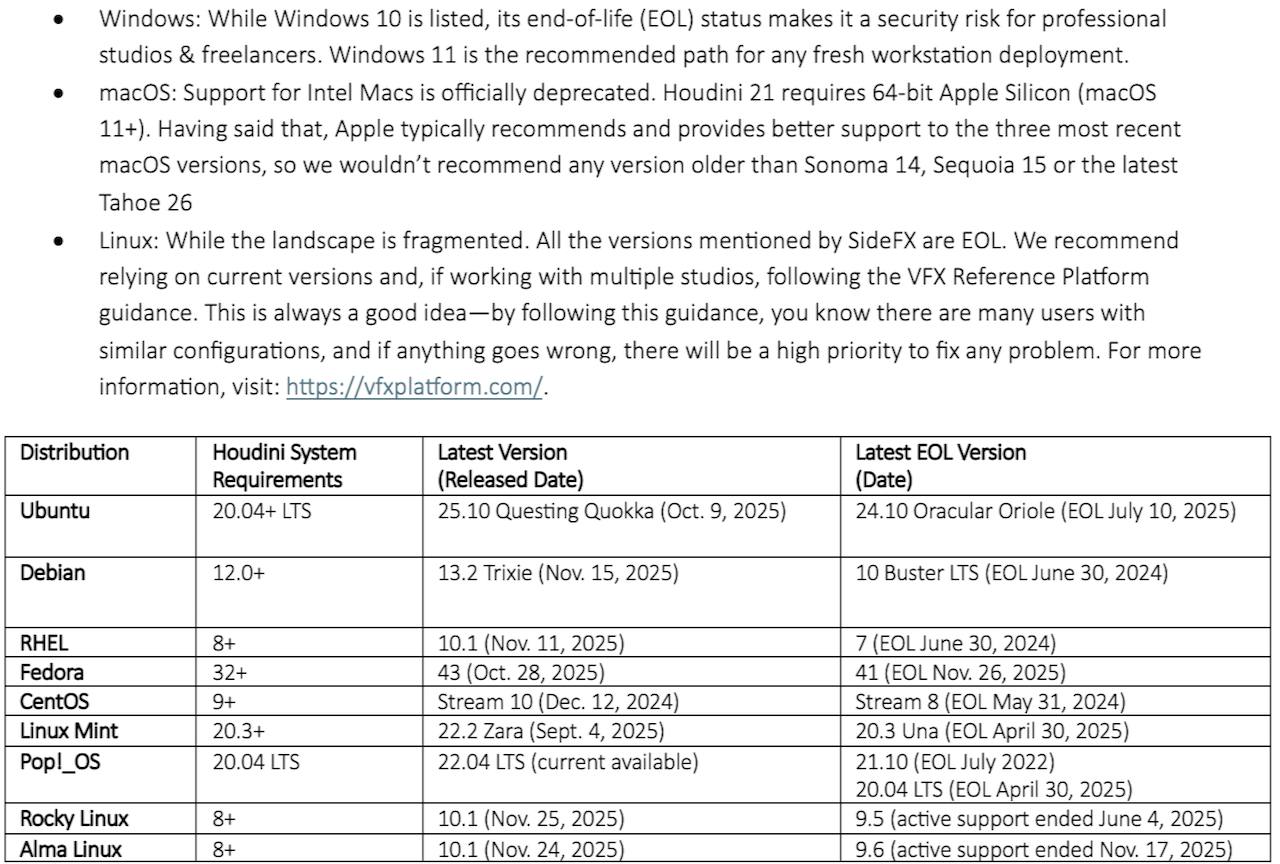
Operating system: The end of legacy support
Memory: From capacity to bandwidth
SideFX lists 16 GB as required, but for professional work, this should be interpreted as “don’t even try.”

Beyond capacity, memory bandwidth is a critical differentiator. Houdini’s solvers access massive amounts of particle data in parallel. A workstation with high total capacity but limited channels (i.e., dual-channel Entry Workstation platforms) acts like a supermarket with eight registers but only two open, so throughput becomes the bottleneck. Platforms offering four-channel or eight-channel memory (such as Threadripper Pro or Xeon W) provide the necessary bandwidth to reduce this bottleneck, keeping the CPU better fed during heavy simulations.
Processor (CPU): The AVX cutoff
Starting with Houdini 21, the minimum x86-64 architecture level is v3. This allows SideFX to leverage modern instruction sets like AVX and AVX2. Consequently, processors older than Intel Haswell (2013) or AMD Excavator (2015) are no longer supported. Even if this talks about the functionality of the processor, no user who values their time should use CPUs old enough to get a driver’s license.
For selection, the workflow dictates the CPU choice:

Graphics (GPU): VRAM and acceleration
An OpenGL 4.0-compliant card is required, but another critical metric for Houdini 21 is VRAM capacity. SideFX mandates 12 GB or more; less than this results in display errors on high-DPI monitors and stability issues. Here again, in CG, too much is not enough, especially in this modern version of Houdini, where you not only use the GPU as a graphics and display device, but as a compute accelerator in rendering and simulation.
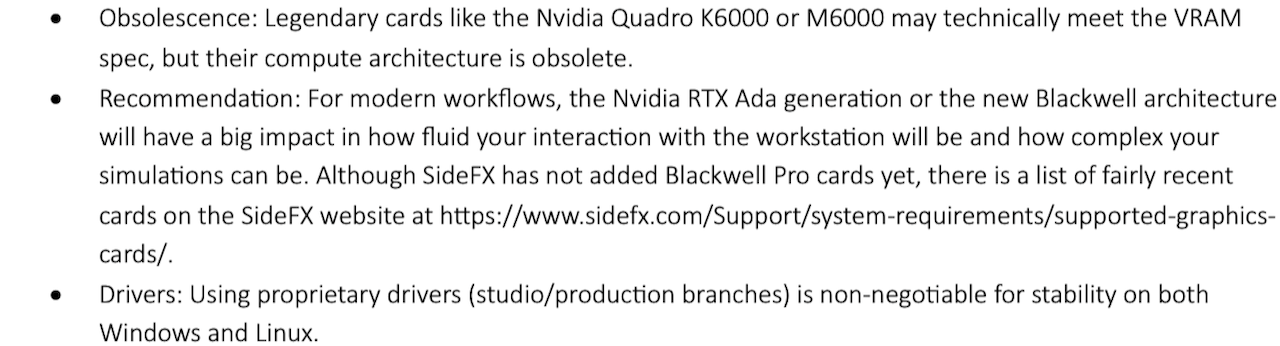
A note about GPU acceleration: It’s important to keep in mind that Karma XPU can benefit from multiple GPUs, while simulations are limited to one GPU. This might drive your purchasing decisions depending on your needs.
Recommended workstation profiles
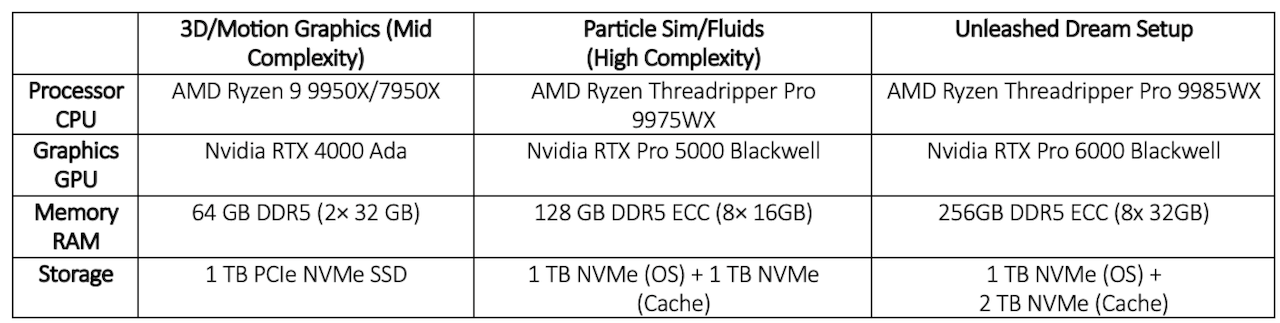
Based on our analysis, we categorize recommendations into three distinct tiers to match user profiles.
What about Apple? In previous analysis of Foundry’s Nuke, we found amazing performance scaling across Apple M-series SKUs and generations. Only a good comprehensive benchmark would show the impact of going from Pro to Max to Ultra SKUs from M1 to M5. At this time, we have no objective way to position these CPUs beyond knowing that they are supported and compatible.
What do we think?
While it is a testament to SideFX’s engineering that Houdini can run on older hardware, that does not mean professional studios should rely on it. There is a distinct difference between “minimum requirements” and “recommended specs for productivity.”
If you value the investment made in artists’ salaries, which is more than the cost of hardware and software, providing a workstation that prevents bottlenecks is a fiscal necessity, not a luxury. A system that pages to disk due to insufficient RAM or stalls during viewport updates due to weak GPUs, or simulation or render progress bars that last forever, is actively costing the studio money every hour it is in use. It also affects the quality of the work, since talented artists won’t be able to reach “the zone” without first reaching a level of frustration that will force such artists to settle for getting it done, rather than exploring and achieving the best quality.
Next steps: We would love to partner with SideFX and some of the XPU and memory vendors above. We can go deeper into Houdini with real-world workloads to build a data-driven and objective analysis of the impact that each component has on Houdini workflows for procedural animation and simulation.
This will be a Herculean effort that we look forward to tackling in order to serve the Houdini user community. Let us know if you have any interest in this effort, or give us feedback on what you would like to see coming out of a project like that.
– The Workstation Cavalry
IF YOU LIKED WHAT YOU READ HERE, DON’T BE STINGY, SHARE IT WITH YOUR FRIENDS.