
Ask five different sources how many 2D CAD programs take AI prompts and you’ll get five different answers, which tells you something on its own. Some programs might have AI capabilities incorporated into their software engine, but the ability to accept AI prompts demonstrates a deeper commitment to AI on the part of the programmers. We went looking for a real count, not a marketing count. The answer is smaller than the hype: no major 2D CAD package lets you type a set of commands and a complex drawing component right now. What exists instead is a scattered mix of chatbots, command predictors, and separate text-to-CAD tools that live outside the actual drafting program. We sort out which is which.
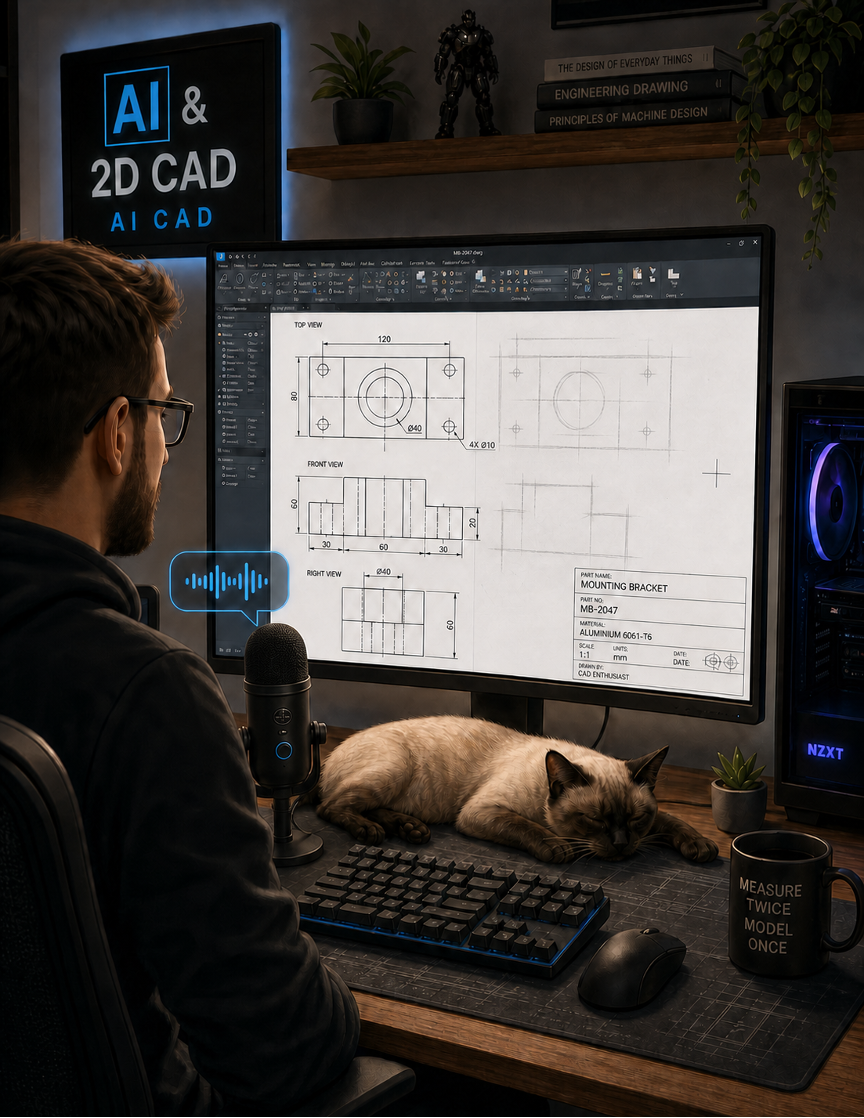
One day you’ll tell your computer to draw a bracket for you.
Three different investigations of this same question resulted in three different tool counts and three different tool lists, which says more about the state of the market than any single number does. AI in CAD gets marketed loosely enough that a command-prediction feature, a documentation chatbot, and a stand-alone text-to-3D API all get labeled the same way. Sorting them into what they actually do produces a much smaller, much clearer picture.
Two products may ship something built directly into the CAD program itself or bolted on after the fact. AutoCAD carries the Autodesk Assistant, a documentation-trained chatbot that answers how-to questions and helps navigate the software; it does not turn a prompt into geometry. BricsCAD carries AI-Predict, a command palette that predicts your next likely command from usage patterns; you don’t type instructions into it, it suggests them. Neither lets someone type “draw a 40-by-60 floor plan with three bedrooms” and get a finished 2D layout. That specific capability doesn’t exist inside a shipping 2D CAD package today.
A second tier sits closer to command acceleration than prompting. Autodesk Fusion automates 2D drawing generation from 3D models and adds sketch auto-constraint and generative tools through a guided interface with some prompt-like interaction; Fusion itself targets 3D mechanical design, not 2D drafting specifically. Siemens markets an AI-enabled copilot across its NX and Designcenter ecosystem that lets users prompt it to analyze, optimize, or generate design elements, including drawing-related tasks, again inside a primarily 3D platform. These tools accelerate commands inside an existing workflow; none of them replace the drafting process with a prompt.
A third tier operates entirely outside any 2D CAD program and constantly gets confused with the first two. CADGPT, the name that comes up most often, is a third-party AutoCAD plug-in, not an Autodesk product, and it does not generate geometry: It generates AutoLISP or Python automation scripts from a prompt, useful for power users automating repetitive tasks and genuinely misleading for anyone expecting a drawing back. Zoo.dev, CADAgent, and CADScribe convert text prompts into 3D geometry, typically STEP or STL, aimed overwhelmingly at 3D mechanical modeling; 2D output, where it exists at all, comes as a downstream export, not the primary function. TexoCAD operates as a plain-English text-to-CAD design tool, and TextoCAD is a free AI text-to-CAD generator that turns design prompts into parametric CAD packages with sliders, feature trees, and browser-side model editing.
OpenArt’s CAD Drawing Generator and tools like Vondy sit closer to the 2D side, turning prompts or rough sketches into vector floor plans and technical layouts, running as Web utilities separate from any CAD environment, producing files a drafter still has to import and clean up. Claims about AdamCAD vary by source: Some describe it as a 2D-focused parametric drafting tool, others as a 3D-first platform with 2D export; that inconsistency alone is worth flagging instead of resolving with false confidence.
The prompt (in OpenArt CAD):
A precise 2D engineering blueprint drawing of a mechanical cylindrical shaft, detailing a 200 mm length and 25 mm diameter, featuring a precise keyway slot (6 mm wide, 3 mm deep) positioned along one end.
The result:
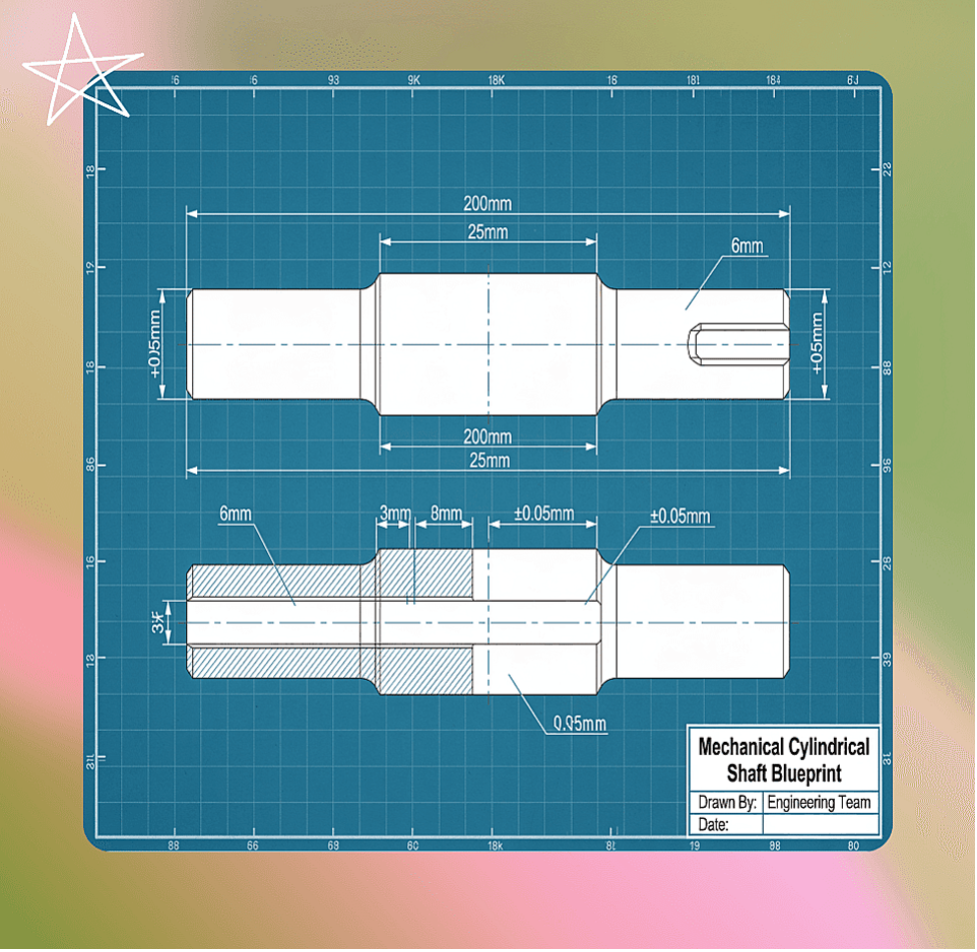
Figure 1. OpenArt CAD drawing.
OpenArt CAD should not be confused with OpenArt.ai.
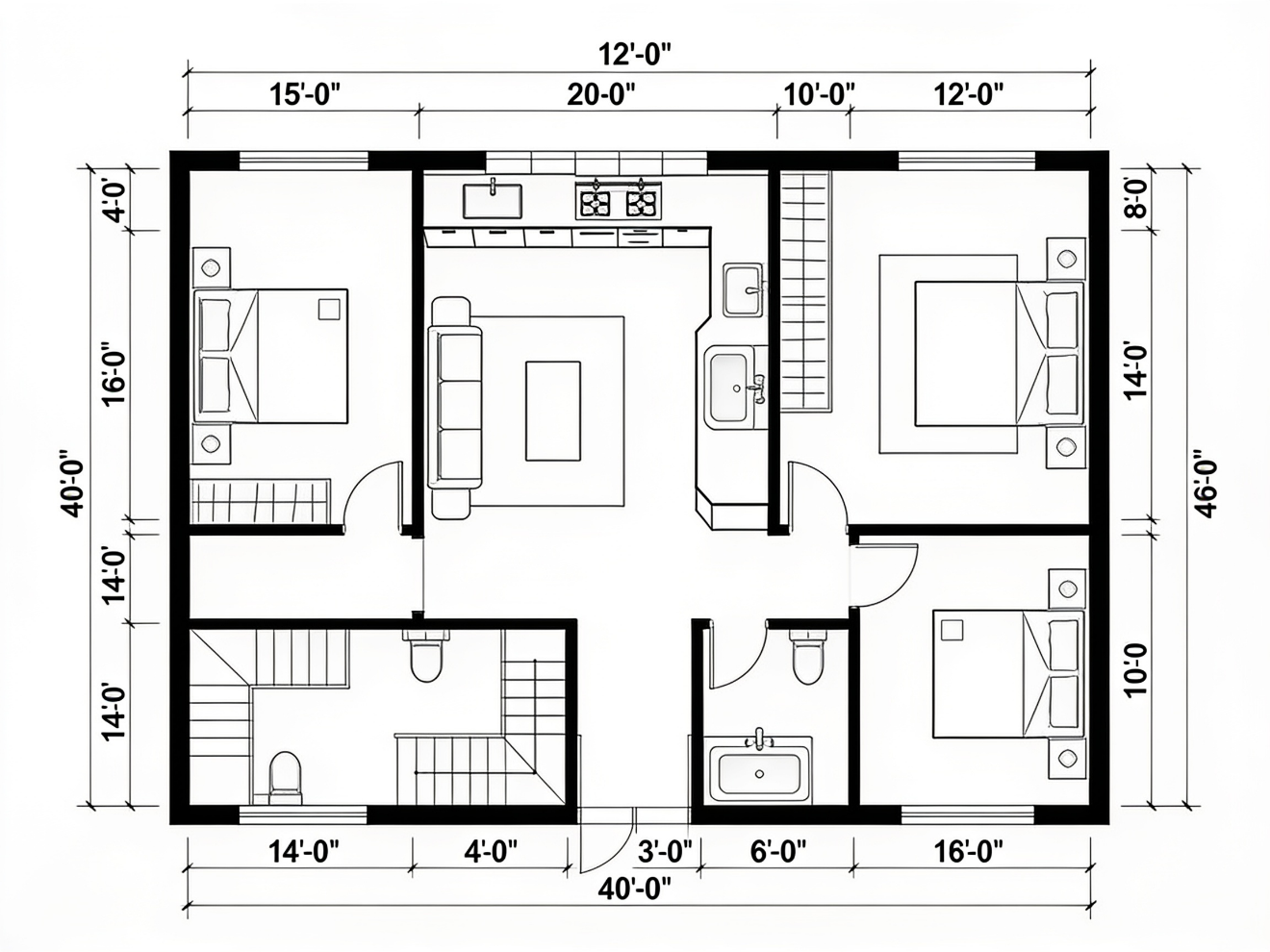
Figure 2. A simulated CAD drawing using OpenArt.ai (notice the left and right dimensions).
There are also specialized AI CAD programs like Exocad, a prominent dental CAD/CAM software developer that offers AI-powered design features integrated directly into its specialized dental software, named AI Design within DentalCAD.
A fourth, smaller tier exists purely in research. Academic prototypes like VideoCAD demonstrate agents that drive CAD software directly from sketches or spoken instructions, generating geometry automatically; they stay lab demonstrations, not products anyone can buy or deploy.
Counting generously, roughly five to seven tools across all four tiers touch some form of prompt-driven 2D output; counting strictly, for a production 2D CAD package where prompts replace the command bar as the primary workflow, the number sits at zero.
None of this means prompt-driven 2D drafting won’t arrive. It means it hasn’t arrived so far, and every vendor slide claiming otherwise is describing a command accelerator, a chatbot, or a separate tool bolted onto the workflow, not a replacement for it. Anyone evaluating these products for real deployment needs to ask one specific question before anything else: Does this tool generate geometry from the prompt, or does it generate something that still requires a human to open a CAD program and finish the job?
What do we think?
Three separate investigations of the same question produced three or more different answers, and that inconsistency is the real signal: This category has no agreed definition right now, and every vendor benefits from the confusion. For CIOs evaluating these tools, demand a specific test: paste a real drafting requirement and see what comes back, a drawing or a script.
Inflection point
Prompt-driven 2D drafting marks a real inflection point once it actually ships, and the fact that it hasn’t shipped so far is itself informative: Geometry generation from natural language is a much harder problem than chat-based documentation lookup or command prediction, and every vendor routes around that difficulty with easier features wearing AI branding. Watch for the moment a major CAD vendor ships native prompt-to-DWG generation as a core feature, not a plug-in or a separate app; that’s the signal, not command palettes.
In fact, AI will dictate fundamental re-writes of the CAD programs we have and inspire the development of new design tools.
The next consideration is what the pent-up demand is for such features, and when available, will it spark a surge in sales of 2D CAD?
LIKE WHAT YOU’RE READING? INTRODUCE US TO YOUR FRIENDS AND COLLEAGUES.